10.1 Why keep a talent pool
Most good candidates are rejected for timing rather than quality — the role was filled, or the level was wrong. The talent pool keeps those people findable so the next requisition starts with a warm shortlist instead of a blank page.
10.2 Consent comes first
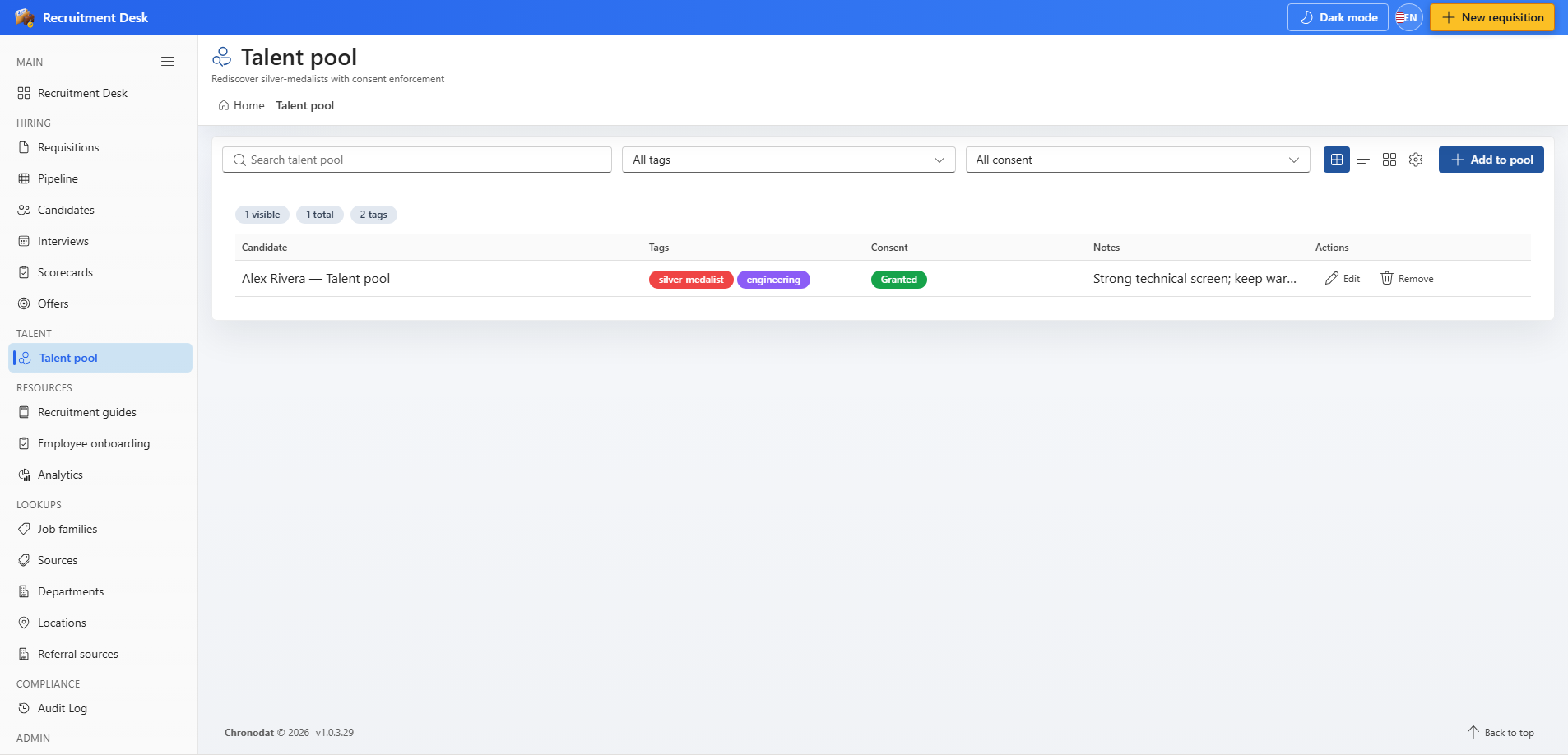
A candidate must have granted consent before they can be added to the pool. This is not a soft warning — retaining someone's details for future opportunities requires a lawful basis, and the app records when consent was given so you can evidence it.
- Capture consent on the candidate profile, or through the application form when consent collection is enabled.
- The consent filter on the pool lets you review entries where consent is missing.
- Remove anyone from the pool as soon as they ask to be removed.
10.3 Working with the pool
| Column | Description |
|---|---|
| Candidate | The person in the pool |
| Tags | Skills, levels, or shortlist labels |
| Consent | Whether consent has been granted |
| Notes | Context for whoever picks this up next |
- Add to pool — add a candidate with tags and a note about why they are worth revisiting.
- Edit entry — refresh the tags and notes as circumstances change.
- Remove from pool — take the candidate out, which is also the action to use for a removal request.
10.4 Good practice
- Write notes that will make sense to a colleague in a year, not shorthand only you understand.
- Use a consistent tag vocabulary, maintained from Settings → Tags, so searches actually return everyone relevant.
- Review the pool against your retention policy — see Compliance, Consent, and GDPR.