6.1 The candidate list
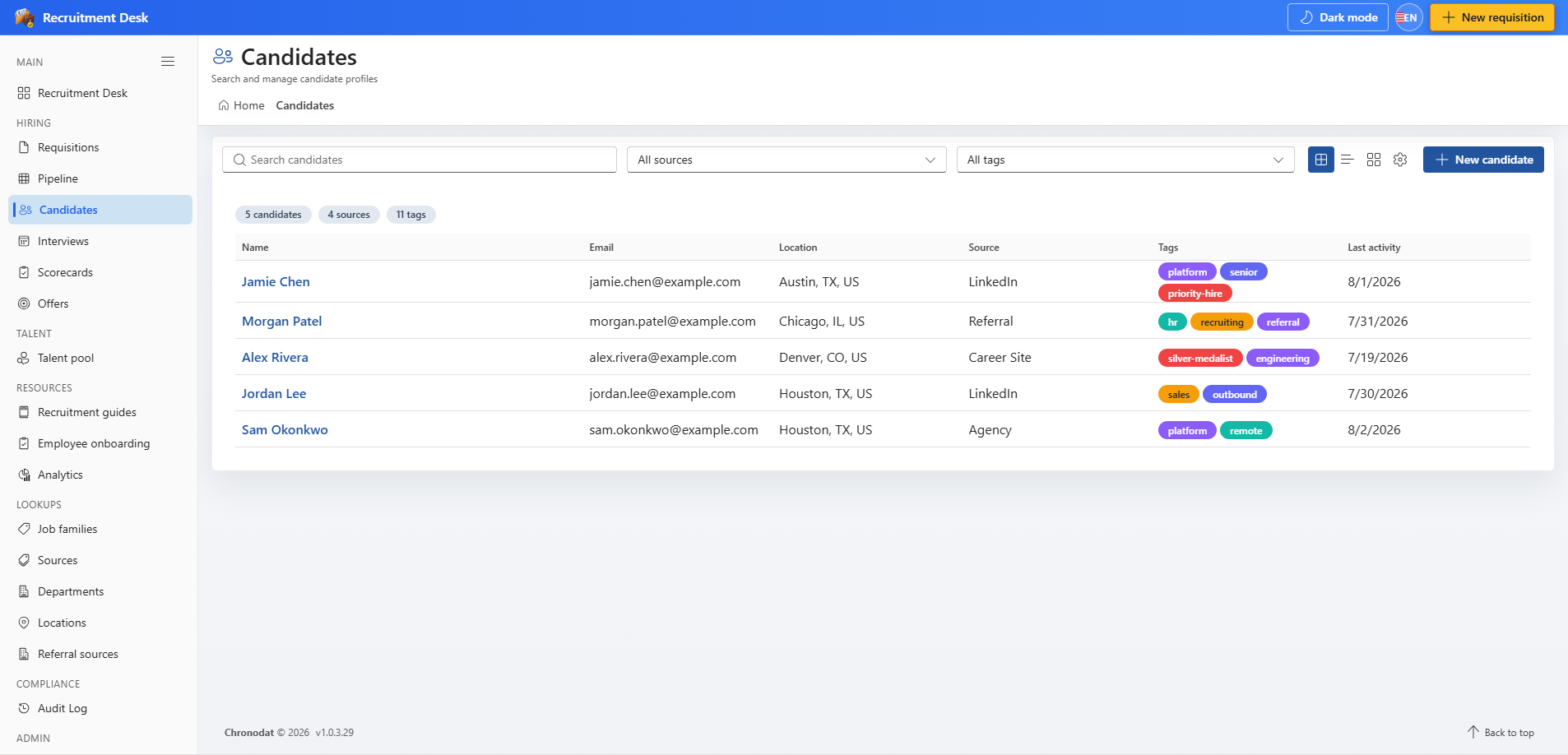
Search by name or email, and filter by profile source or tag.
| Column | Description |
|---|---|
| Name | Candidate display name |
| Primary contact address | |
| Location | Candidate location |
| Source | Channel the candidate came from |
| Tags | Labels applied for search and shortlisting |
| Last activity | Most recent change on the record |
6.2 The candidate profile
A profile has three tabs.
- Profile — email, phone, location, work authorisation, source, tags, and consent status.
- Applications — every requisition this person has applied to, with stage, status, and applied date.
- Documents — files attached to the candidate, typed as Resume, CoverLetter, Portfolio, OfferLetter, or Other.
6.3 Create a candidate
- Choose New candidate from the candidate list.
- Enter the name and contact details, then set the source so reporting stays accurate.
- Add tags such as a skill or a shortlist name to make the record easy to find later.
- Record consent if you intend to keep the profile for future roles — see Compliance, Consent, and GDPR.
6.4 Applications
An application ties a candidate to a requisition and is what actually moves across the pipeline board. Create one from the pipeline board, from the requisition record, or from the candidate profile.
| Application status | Meaning |
|---|---|
| Active | In progress somewhere in the pipeline |
| Withdrawn | The candidate stepped away |
| Rejected | Closed with a disposition code and reason |
| Hired | The candidate accepted and was hired |
| OnHold | Paused, usually while the requisition is on hold |
6.5 Screening scores
If screening rules are configured, a new application is scored automatically as it is created and the result is shown on the record. Scores are advisory only — they rank and highlight applications, they never reject anyone.
Screening rules can only be built from job-related attributes such as years of experience, work mode, employment type, and tags. Protected characteristics, including postal or ZIP code, are not available as rule inputs by design.
6.6 Documents
- Upload resumes, cover letters, portfolios, and signed offer letters against the candidate.
- Files are stored in a SharePoint document library on the same site and inherit its permissions.
- Uploads and deletions are recorded in the audit log.