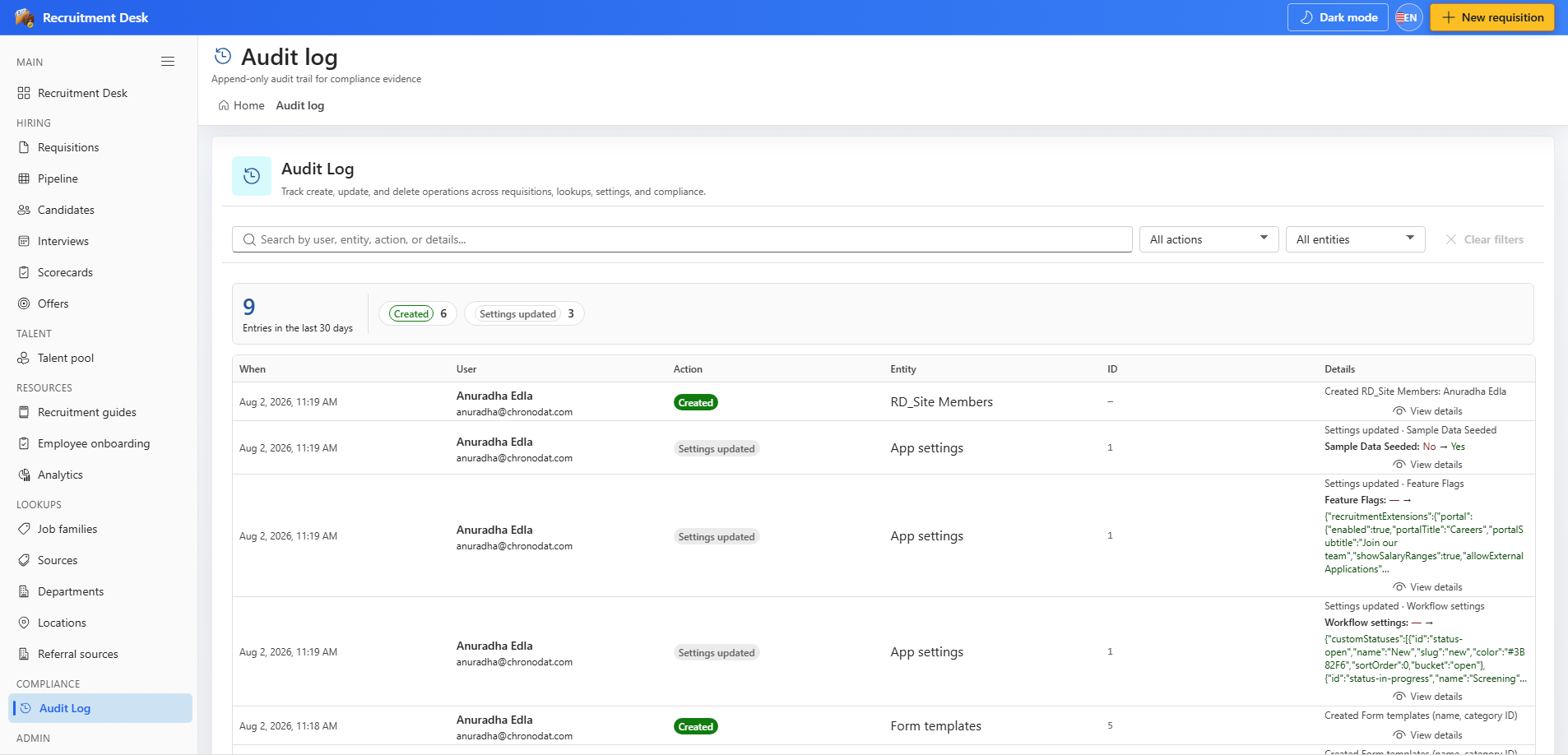
Every write in Recruitment Desk emits an audit event. The audit log lets you search that history by user, entity, and action, and inspect field-level changes.
Audit coverage is not selective. Creating, updating, and deleting records all write an event, as do stage moves, rejections, interview scheduling, offer transitions, candidate communications, and data exports.
Field
Description
Entity
Which kind of record changed
Entity ID
The specific record
Action
Create, update, delete, move, reject, send, and similar
User
The signed-in person who performed it
Timestamp
When it happened
Details
Field-level before and after values
12.2 Searching the log
The default view covers the last 30 days.
Search across user, entity, action, and detail text.
Filter by action type or entity type to narrow a long list.
Open any row to see the change detail panel with the specific fields that moved.
Audit log — search the change history and open a row for field-level detail.
12.3 Answering common questions
Question
How to answer it
Who rejected this candidate and why?
Filter by the reject action and open the record — the decision maker and reason are stored
Who changed the salary band?
Open the requisition Activity tab and read the change detail
Was this candidate ever contacted?
Filter by the candidate and look for communication events
Who exported candidate data last month?
Filter by the export action for the period
12.4 Governance notes
The audit list is append-only in normal use; it is a record, not a working list.
Requisition-specific history is also surfaced on the Activity tab of each requisition record.
Administrators can reach the same viewer from Settings → Audit Log as well as from the Compliance section of the sidebar.