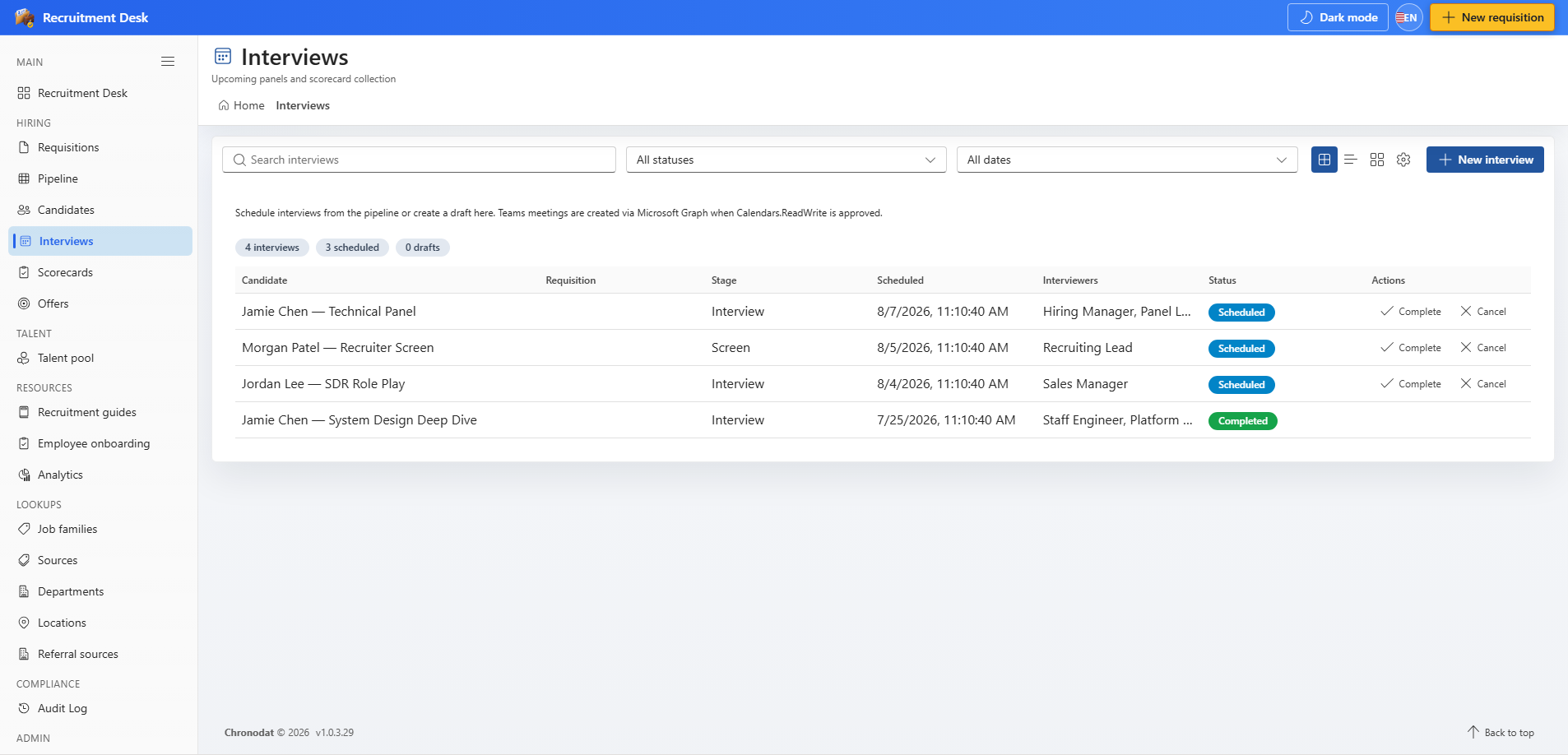
7.1 The interview list
Search across candidates and requisitions, filter by status, or switch on the upcoming-only toggle.
| Column | Description |
|---|---|
| Candidate | Person being interviewed |
| Requisition | Role they are being interviewed for |
| Stage | Pipeline stage the interview belongs to |
| Scheduled | Date and time of the panel |
| Interviewers | Panel members invited |
| Status | Draft, Scheduled, Completed, or Cancelled |
7.2 Interview statuses
| Status | Meaning | Available actions |
|---|---|---|
| Draft | Created but no time agreed yet | Schedule, Cancel |
| Scheduled | Time and panel confirmed | Reschedule, Complete, Cancel |
| Completed | The panel has taken place | Submit a scorecard |
| Cancelled | Called off | None |
7.3 Schedule an interview
- Choose Schedule interview on a pipeline card, or Create interview on the interviews page.
- Pick the date and start time, then set the duration in minutes.
- Add the panel members who should attend.
- Optionally create a calendar event with a Teams meeting link.
- Optionally email the invitation to the candidate.
- Save. The interview moves to Scheduled and appears on the dashboard for the week it falls in.
7.4 Reschedule in place
When a time or a panel changes, use Reschedule on the scheduled row rather than cancelling and starting again. The panel opens prefilled with the current date, time, and duration, so you only change what has moved. The interview keeps its identity, its link to the application, and its history.
Note that rescheduling creates a new calendar event for the revised time. The earlier calendar entry is not cancelled automatically, so remove it from your own calendar if it is no longer needed.
7.5 Calendar and email options
Interviews save successfully whether or not Microsoft Graph permissions have been approved. The optional integrations add convenience rather than being required.
| Option | Requires | If not granted |
|---|---|---|
| Calendar event with Teams link | Calendars.ReadWrite | The interview is still recorded; invite attendees yourself |
| Interview invitation email | Mail.Send, or the Chronodat Mail API | Send the details manually from your mailbox |
7.6 Completing an interview
Mark the interview Complete once the panel has taken place. Completed interviews become available for scorecards, and interviewers who have not yet submitted are the ones the blind review rule applies to.