3.1 Review assigned work
- Open My Learning from the LEARN section.
- Summary cards show Assigned, In progress, Completed, Overdue, Certificates, and average score.
- Each assignment card shows status, due date, and the allowed action.
- Click Start on an assigned or in-progress card to take the assessment.
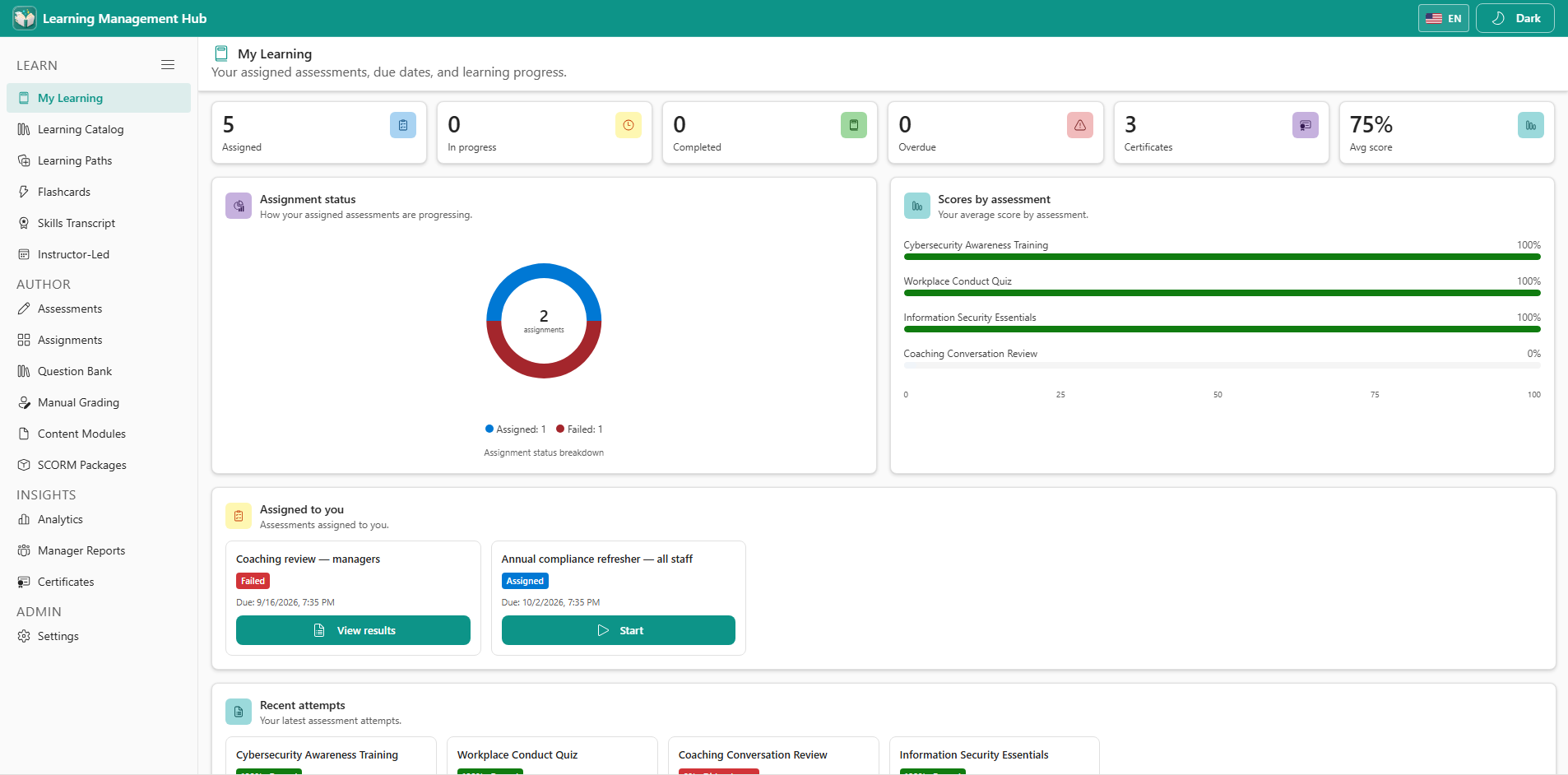
Failed means every allowed attempt was used without a pass. Use View results — Start is no longer available unless an author raises the attempt limit.
3.2 Attempt limits and results
- Passed → Completed with View results. Retake appears only when practice mode or renewal allows it.
- Used every allowed attempt without passing → Failed. View results stays available.
- Due date passed with attempts remaining → Past due.
- Authors can raise Max attempts on the assessment or the assignment (blank = unlimited).