8.1 SharePoint Pages
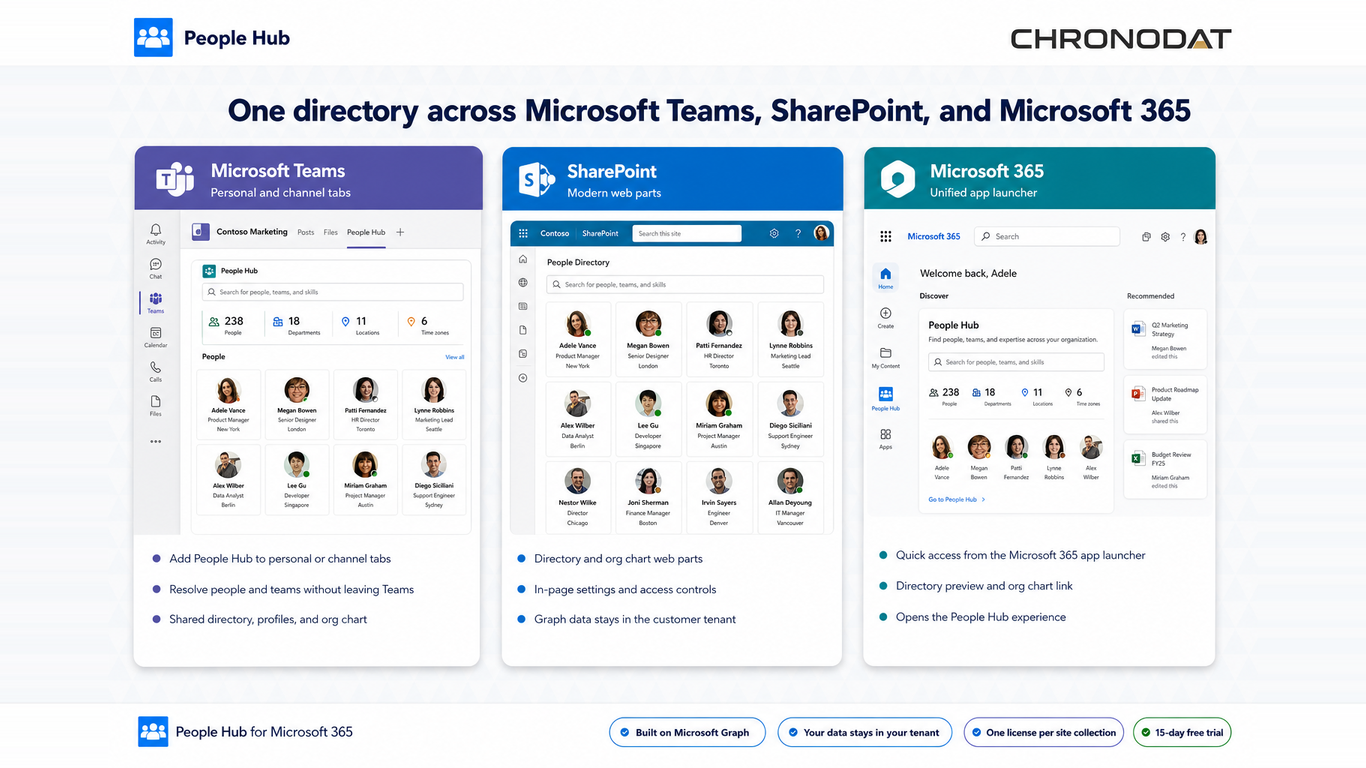
- Add People Hub Enterprise Directory and People Hub Enterprise Org Chart web parts to modern pages.
- The directory may run as a full-width app page with site navigation hidden — an administrator setting.
- Org Chart is typically on a separate SharePoint page, not inside the Directory web part.
8.2 Microsoft Teams
- Build teams/dist/people-hub-teams.zip with npm run package:teams.
- Upload to Teams Admin Center or sideload for testing.
- Channel tabs resolve to the current team's backing SharePoint site — keep {teamSiteDomain} placeholders in the manifest.
- All tabs are available: Directory, Departments, Dashboard, Org Chart, Team Members, Settings (admins).
8.3 Viva Connections
- Add the People Hub Enterprise adaptive card extension to a Viva Connections dashboard.
- The card shows a quick summary: available now · total people.
- Click Open directory to launch the full directory in a quick view panel.
Additional App Functionality
Teams Deployment Checklist
- Deploy people-hub.sppkg to the tenant app catalog first.
- Approve all Microsoft Graph permissions.
- Publish SharePoint host pages before adding channel tabs.
- Grant admin access via property pane or site ownership for in-app Settings.
- Validate theme sync, SSO, and mobile rendering after tab install.