2.1 Where to Find People Hub Enterprise
| Surface | What you see |
|---|---|
| SharePoint page | Directory, Departments, and Dashboard tabs |
| Microsoft Teams tab | Directory, Departments, Dashboard, Org Chart, Team Members, Settings (admins) |
| Viva Connections | Summary card; Open directory launches the full experience |
2.2 Main Layout Areas
| Area | Purpose |
|---|---|
| Left sidebar — Main | Directory and Org Chart primary navigation |
| Left sidebar — Browse | Teams, Locations, Skills, Favorites, and Settings |
| Top bar | App title, logo, search, and Take a tour |
| Toolbar | View modes, filters, refresh, celebrations, and export |
| Results area | Employee cards, grid, list, or table |
| Spotlight strip | Pinned favorite colleagues |
| Celebrations strip | Upcoming birthdays and work anniversaries |
2.3 Browse by Teams, Location, and Skills
The Browse section in the left sidebar groups people beyond the main Directory tab. Open Teams to see Microsoft Teams you belong to and preview members before opening the full directory. Locations and Skills apply the same pattern — select a facet, then jump to filtered directory results.
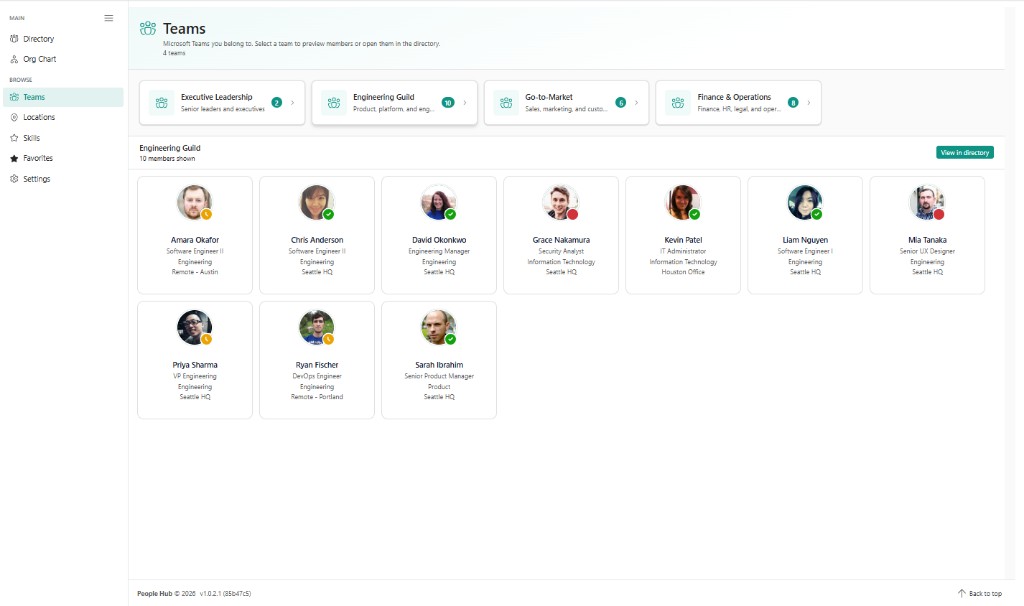
Each team card shows the team name, description, and member count. Select a team — such as Engineering Guild in this example — to load a member grid below the cards. Use View in directory to open the Directory tab with that team context applied. Presence dots on each card reflect live Microsoft Teams status.
2.4 Guided Tour
On first visit you may see a Welcome to People Hub Enterprise guided tour. Reopen it anytime with Take a tour in the top bar. Administrators see an additional onboarding tour for Settings and subscription tasks.
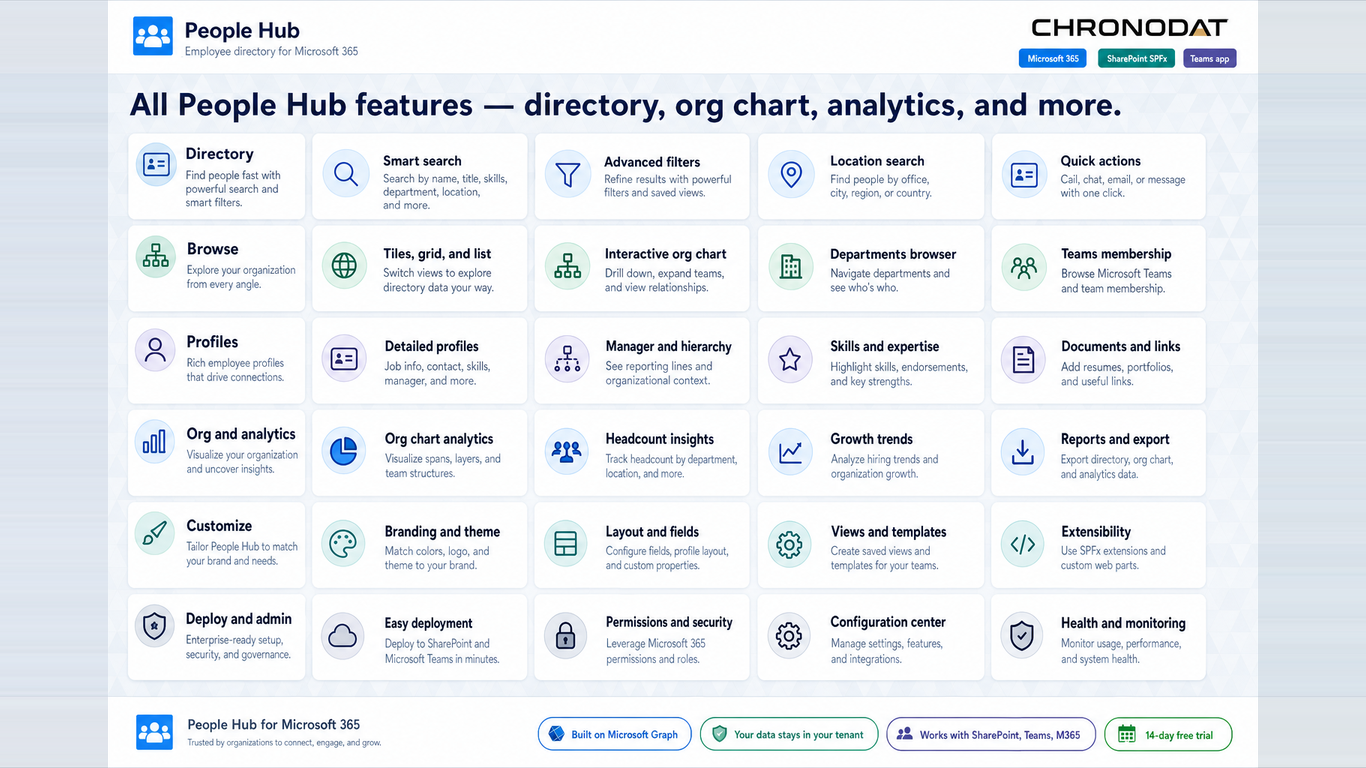
Additional App Functionality
Profile Drawer and Quick Actions
Click any person in the directory or org chart to open the profile drawer on the right. The drawer combines contact details, presence, projects, interests, and one-click actions without leaving the current view.
- Presence reflects live Teams status — Available, Busy, Away, Do not disturb, Out of office.
- Favorites sync to SharePoint when the PeopleHubFavorites list is provisioned; otherwise they stay in browser storage.
- Press Escape to close the profile drawer on supported hosts.
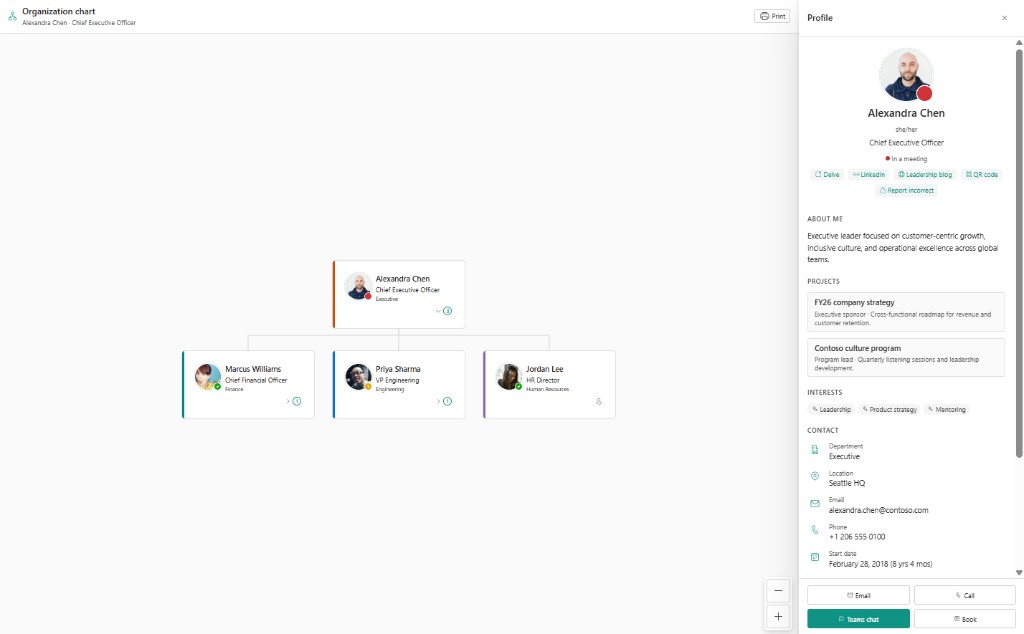
In this example, Alexandra Chen (CEO) is selected in the org chart. The drawer shows her photo, pronouns, live presence (In a meeting), About me text, active projects, interests, department, location, email, phone, and tenure. Quick links open Delve, LinkedIn, or a contact QR code. Action buttons at the bottom start an email, call, Teams chat, or meeting booking in Microsoft 365.