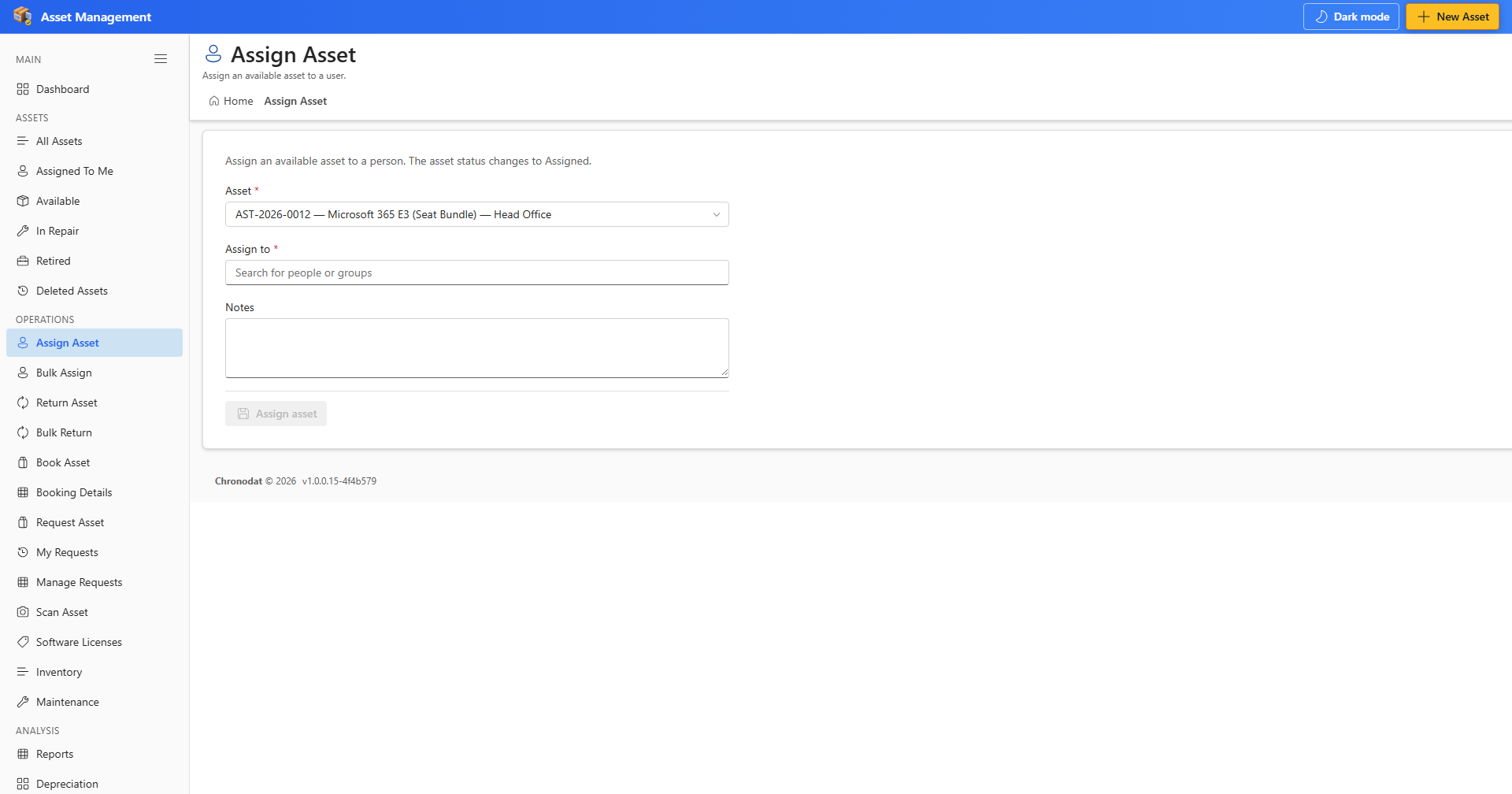
6.1 Assign an Asset
- Open Assign Asset from the OPERATIONS section.
- Search for the asset by ID, title, or scan label.
- Select the person to assign to and set optional notes or due date.
- Click Assign to complete the assignment. Status changes to Assigned.
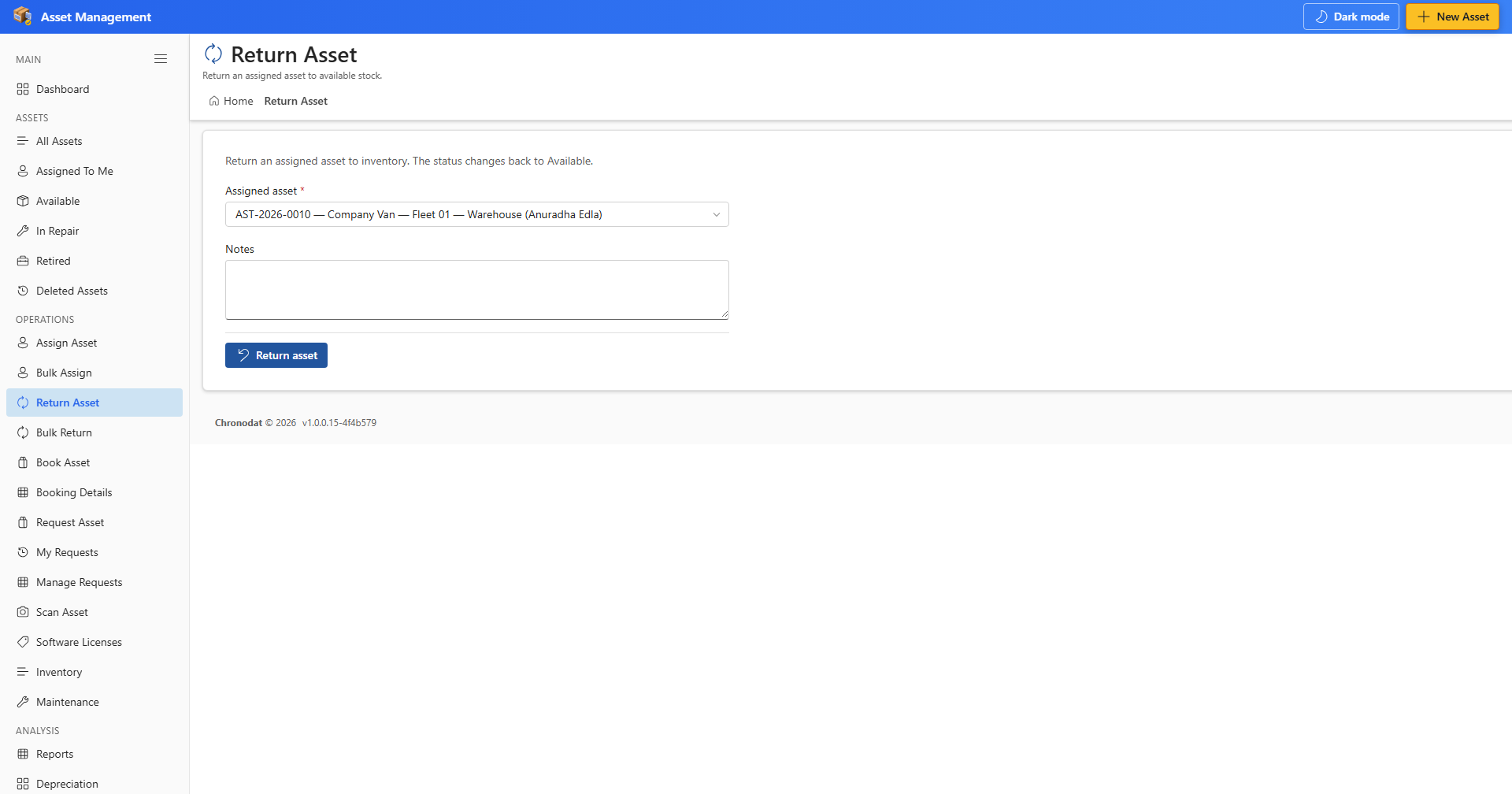
6.2 Return an Asset
- Open Return Asset from the OPERATIONS section.
- Find the assigned asset and confirm the return condition.
- Click Return to mark the asset as available again.
6.3 Bulk Assign and Bulk Return
Use Bulk Assign and Bulk Return when processing multiple assets in one session. The same validation rules apply — each asset must be in the correct status before the operation succeeds.