5.1 Time Entry
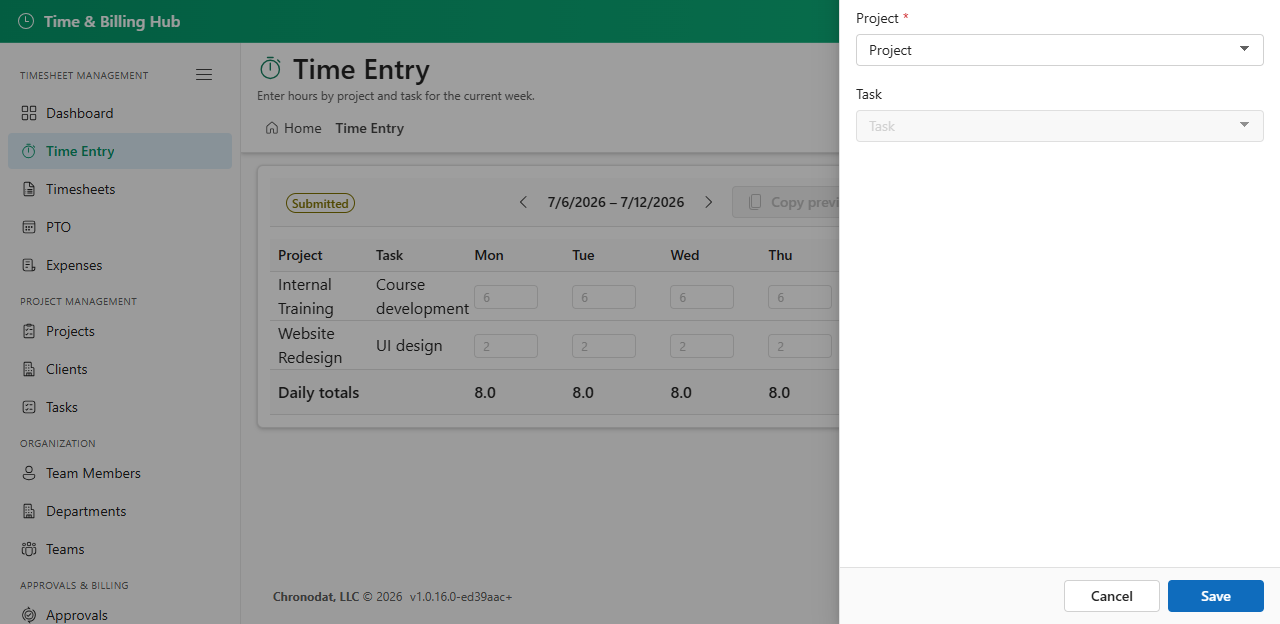
Enter hours against projects and tasks in a weekly grid. Each row is a project/task combination; columns are days of the week.
- This week / Previous week / Next week — navigate pay periods
- Add row — add a project/task line to the grid
- Submit — send the current week's timesheet for approval when status is draft or rejected
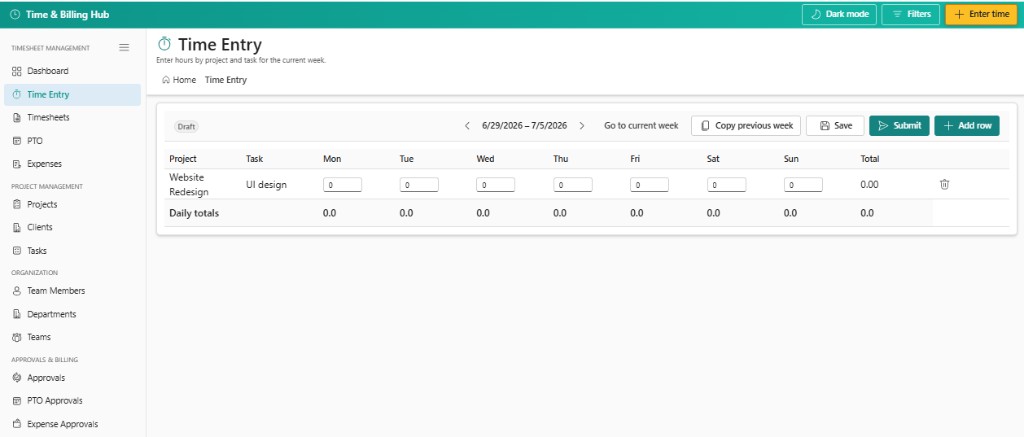
Hours save to a draft timesheet for the active pay period. You must have an employee profile and at least one time entry before submitting.
5.2 Timesheets List
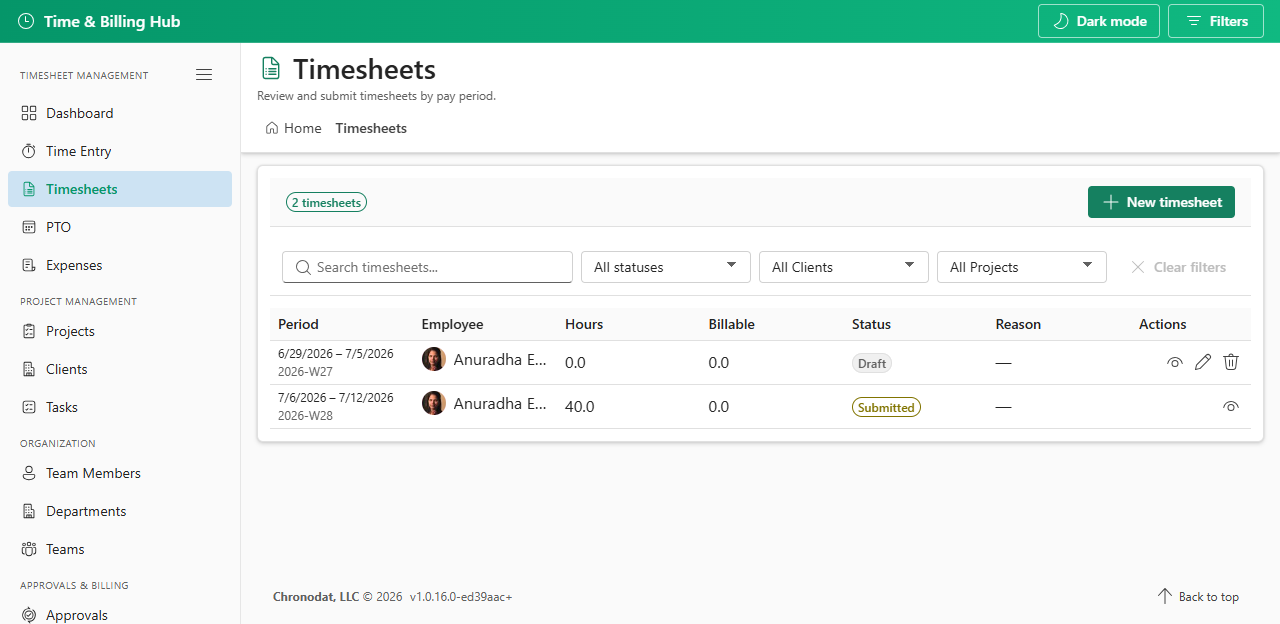
View timesheets in your visibility scope with status, period, employee, and hours. Filter by status and portfolio. Open a row for detail or create a new timesheet for a pay period.
5.3 Timesheet Status Flow
Draft → Submit → Submitted → Approved. Rejected timesheets return to Draft for correction and resubmission.