2.1 Layout Areas
| Area | Description |
|---|---|
| Left sidebar | Primary navigation grouped into Time, Organization, Billing, and System |
| Header | Page title, breadcrumbs, portfolio filters, theme toggle |
| Main content | Page-specific lists, forms, charts, and actions |
| User pill | Shows the signed-in user |
2.2 Navigation Groups
- Time — Dashboard, Time Entry, Timesheets, Approvals, PTO, Expenses, and related approval queues.
- Organization — Clients, Projects, Tasks, Team Members, Departments, and Teams.
- Billing — Billing, Rates & Tax, and Invoice Templates.
- System — Reports, Settings, Import & Export, and Help.
Use Collapse navigation to maximize workspace on smaller screens. The pages and actions you see depend on your assigned role and the role permissions matrix.
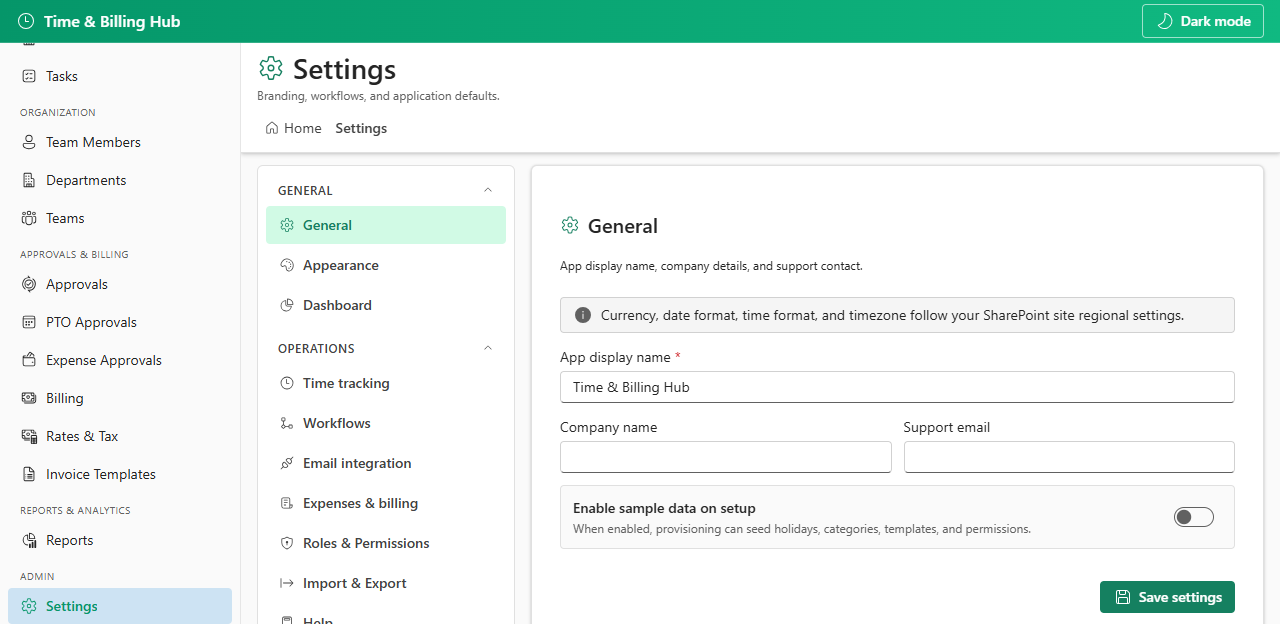
Administrators see additional settings tabs for workflows, billing defaults, roles, and setup status. Members see a smaller navigation set scoped to their permissions.