
Time & Billing Hub
A SharePoint-native time tracking & billing workspace for Microsoft 365
- Built on SharePoint Online
- Your data stays in your tenant
- One license per site collection
- 14-day free trial
A SharePoint-native time tracking & billing workspace for Microsoft 365


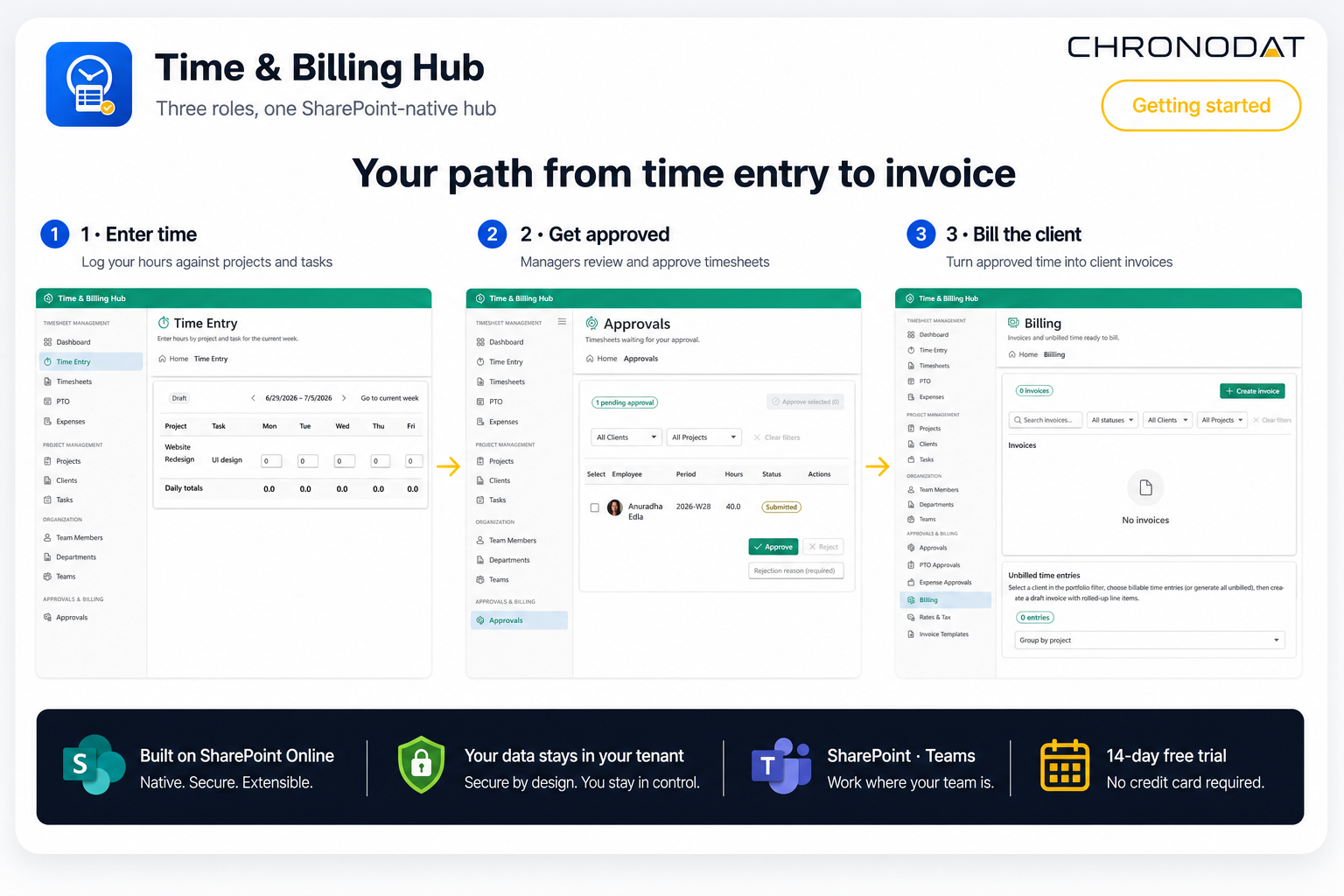
Three steps for employees, approvers, and billing — built from real Time & Billing Hub screens.
Watch a quick walkthrough of Time & Billing Hub — time entry, approvals, billing, reports, and administration inside Microsoft 365 and Microsoft Teams.

Weekly grid for project and task hours with pay-period navigation, draft timesheets, and one-click submit for approval.
Role-scoped timesheet lists with manager, team lead, and project approver workflows — draft through approved.
Generate invoices from unbilled approved time, locked invoice numbers, tax profiles, and customizable PDF templates.
Expense reports with receipts, reimbursement tracking, and paid-time-off requests with dedicated approval queues.
Clients, projects, tasks, team members, departments, and teams — master data for time tracking and billing.
Role-scoped dashboards plus utilization, billing summary, payroll, expense detail, and PTO balance exports.
Member, team lead, manager, and admin roles with a configurable page and action permissions matrix.
Run the same hub on SharePoint pages and as a Microsoft Teams channel tab — backed by SharePoint lists in your tenant.
Deploy once to your tenant App Catalog and run Time & Billing Hub on modern SharePoint pages or pin it as a Microsoft Teams channel tab — all backed by the same SharePoint lists for employees, timesheets, projects, and billing.
Start a 14-day free trial or get a guided walkthrough from our team.