12.1 Tabs
| Tab | What it controls |
|---|---|
| Account | Signed-in mailbox, trial or subscription status, checkout and billing portal |
| General | Filed label, email format, appearance, language |
| Filing | Naming pattern, attachments subfolder, header mapping, unique names, new folders, common library, after-file action, ignore list |
| Planner | Optional planner-related defaults |
| Suggestions | Destination suggestions, column fill, search phrase understanding, duplicate warning |
| Alerts | Save on Send, auto-archive while Out of Office, always auto-archive |
| Privacy | Telemetry and how Mailroom uses Microsoft 365 permissions |
| Organization | Published tenant defaults (admins) |
| Advanced | Lazy-load locations, cache limit, hybrid site URL, policy library |
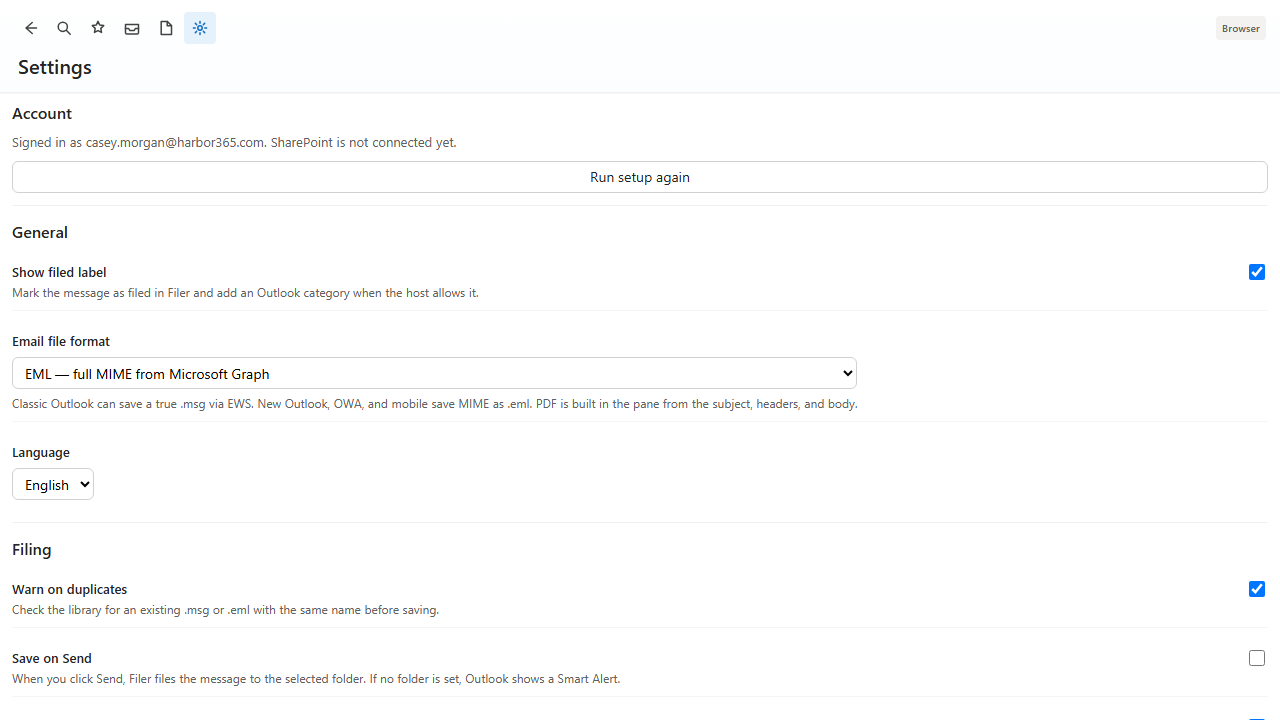
12.2 Show filed label
When on, Mailroom marks the message as filed and adds the Outlook category Filed by Mailroom. Mailroom creates that category if it is missing.
12.3 Reset preferences
Reset all settings restores this device to defaults. It does not delete files already saved to SharePoint or OneDrive, and it does not cancel the tenant subscription.