2.1 Ribbon and commands
- File Email — opens the pane for the current message.
- File selected — files several selected messages to the common library.
- The ribbon group name is Mailroom. Pin the pane so it stays open when you change messages.
2.2 File Email pane
The File pane shows the open message, Quick file chips, destination tabs (Favorites, Browse, Search), metadata, attachments, and the Save button.
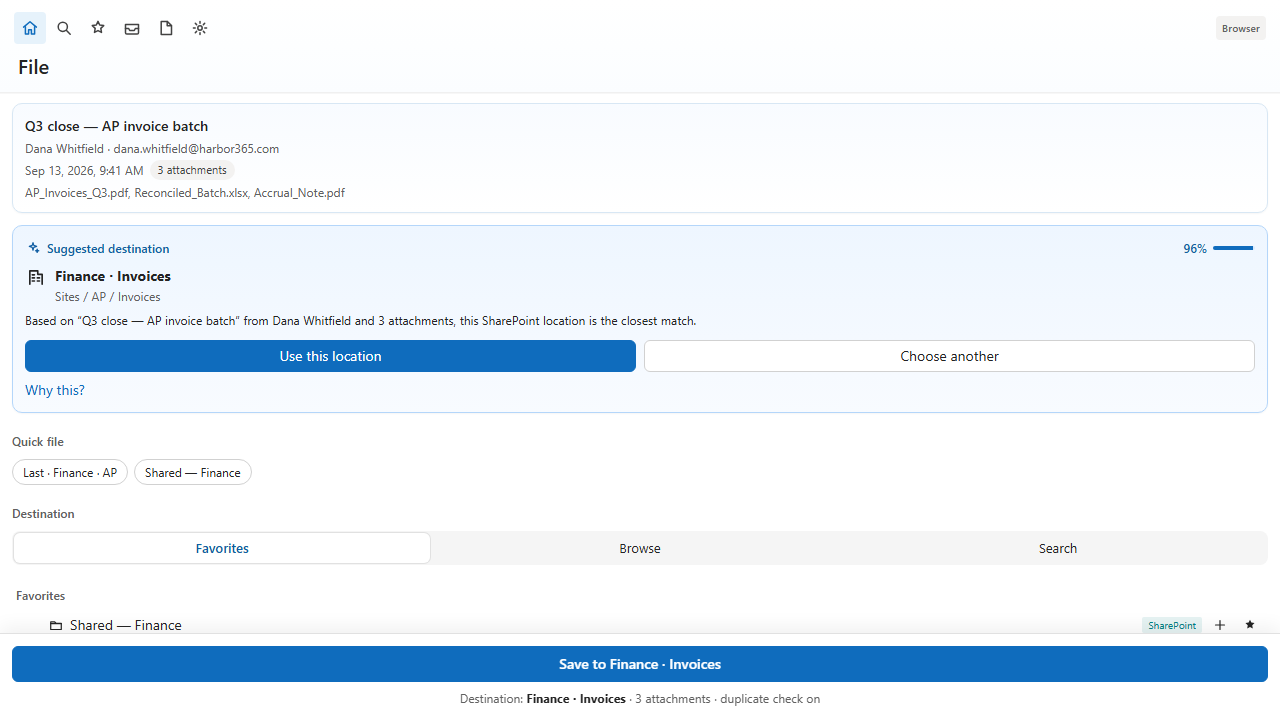
Quick file chips reuse the last destination and favorites. The location menu can set the destination, add a folder, star a favorite, or open the library in Microsoft 365.
2.3 Header tools
- Search — find files, saved emails, folders, and mailbox results across Microsoft 365.
- Inbox cleanup — scan unfiled inbox mail that matches rules or learned senders.
- Rules — create and edit filing rules.
- Preferences — account, general, filing, planner, suggestions, alerts, privacy, organization, and advanced.
2.4 Languages and appearance
The pane is available in English, Spanish, French, and German. Appearance can match Outlook or follow your system light or dark setting.