Open Dashboard from the MAIN section. Review KPI cards and charts before drilling into Work Orders or the Scheduler.
3.1 KPI Cards
- Total Revenue — completed work order revenue.
- Active Work Orders — jobs in progress across the pipeline.
- Total Customers — registered customer accounts.
- Avg Response Time — average time to first response on new jobs.
3.2 Charts and Recent Jobs
- Work Orders by Status — distribution across New, Scheduled, En Route, On Site, and Completed.
- Priority Mix — open jobs grouped by priority level.
- Service Type Breakdown — mix of maintenance, repair, installation, and other service types.
- Recent Work Orders — click any row to open the detail panel.
Use New Work Order in the header to create a job without leaving the dashboard.
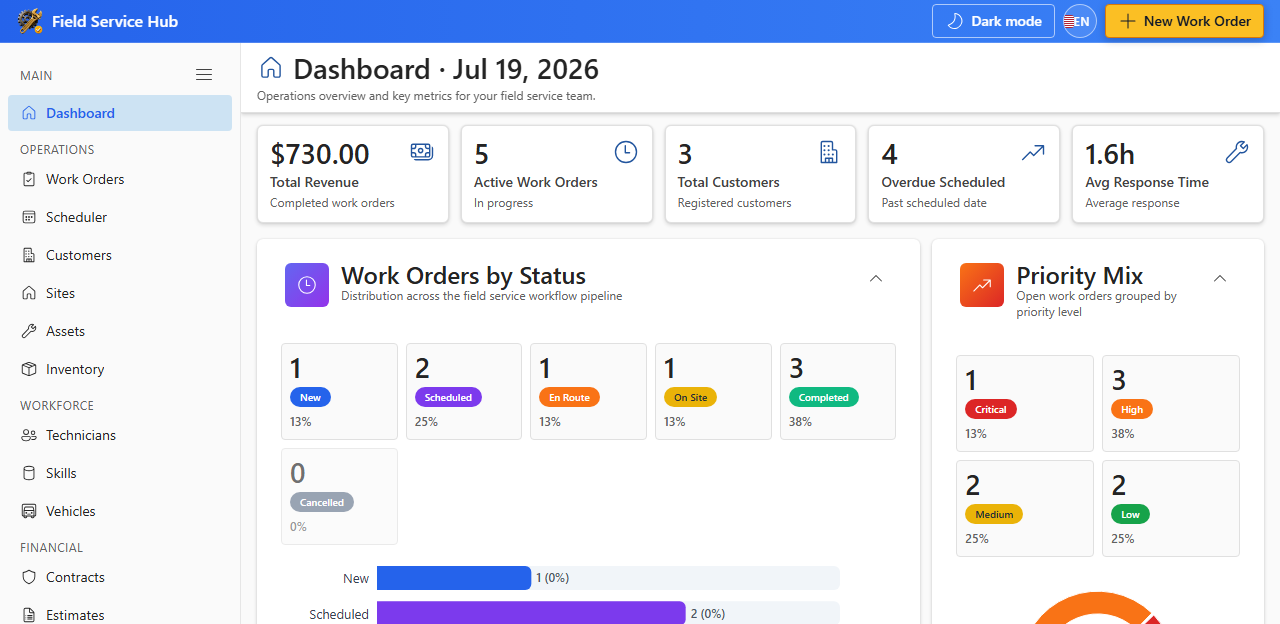
Chart colors follow your Appearance theme accent. Dashboard widgets can be configured under Settings → Dashboard.