
Field Service Hub
A SharePoint-native field service operations workspace for SharePoint and Teams
- Built on SharePoint Online
- Your data stays in your tenant
- One license per site collection
- 14-day free trial
A SharePoint-native field service operations workspace for SharePoint and Teams


Users interact with the SPFx web part and React UI — services read and write SharePoint lists, with optional Graph email and Chronodat subscription checks.

Watch a quick walkthrough of Field Service Hub — work orders, scheduler dispatch, customer and site management, technicians, estimates, invoices, reports, and administration inside SharePoint and Microsoft Teams.
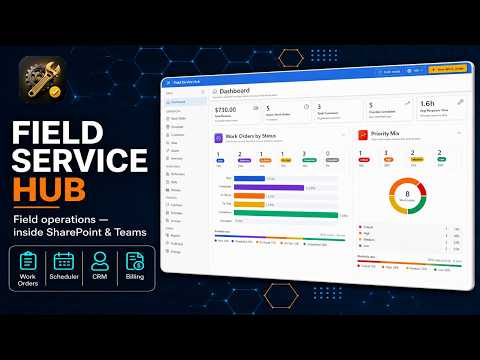
Summary cards and charts for open work orders, overdue jobs, technician workload, and revenue with drill-down to lists.
Create, assign, and track HVAC and field service jobs with status workflows, priorities, and customer context.
Kanban dispatch board to schedule technicians, balance workload, and move jobs through service stages.
Manage customer records, service locations, contacts, and site history linked to work orders.
Build job estimates, convert completed work to invoices, and track billing status in SharePoint.
Operational reports with CSV export plus a searchable administrator audit log for governance.
Technician roster, skills, and equipment tracking with inventory tied to jobs and sites.
Run the same hub on SharePoint pages and as a Microsoft Teams channel tab — backed by FS_* SharePoint lists in your tenant.
Deploy once to your tenant App Catalog and run Field Service Hub on modern SharePoint pages or pin it as a Microsoft Teams channel tab — all backed by the same SharePoint lists for work orders, customers, technicians, and audit history.
Start a 14-day free trial or get a guided walkthrough from our team.