
Service Desk Hub
A SharePoint-native IT service management workspace for SharePoint and Teams
- Built on SharePoint Online
- Your data stays in your tenant
- One license per site collection
- 14-day free trial
A SharePoint-native IT service management workspace for SharePoint and Teams


Users interact with the SPFx web part and React UI — services read and write SharePoint lists, with optional Graph email and Chronodat subscription checks.

Watch a quick walkthrough of Service Desk Hub — Help Center self-service, ticket queues, SLA tracking, knowledge base, service reporting, roles, and administration inside SharePoint and Microsoft Teams.
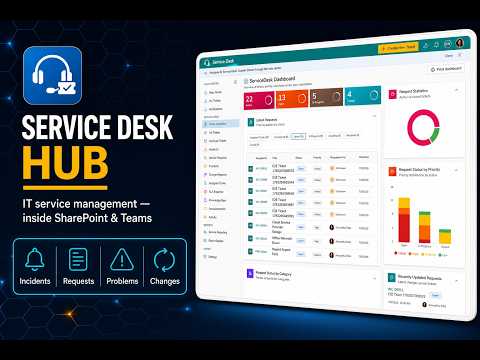
Summary cards and charts for open tickets, SLA breaches, queue volume, and team workload with drill-down to lists.
Self-service portal where end users search the knowledge base, submit requests, and track My Tickets.
Work incidents, service requests, problems, and changes from All Tickets, Assigned To Me, and SLA Breached queues.
Publish articles to deflect tickets and link solutions during agent resolution workflows.
Configure SLA policies, assignment rules, notification workflows, and ticket lifecycle statuses.
Operational dashboards and custom reports for ticket volume, SLA compliance, and team performance.
Hybrid RBAC combines SharePoint list security with an in-app role matrix for agents and administrators.
Run the same hub on SharePoint pages and as a Microsoft Teams channel tab — backed by SD_* SharePoint lists in your tenant.
Deploy once to your tenant App Catalog and run Service Desk Hub on modern SharePoint pages or pin it as a Microsoft Teams channel tab — all backed by the same SharePoint lists for tickets, knowledge base articles, SLA policies, and audit history.
Start a 14-day free trial or get a guided walkthrough from our team.