
Help Desk 365
A SharePoint-native request tracking workspace for SharePoint and Teams
- Built on SharePoint Online
- Your data stays in your tenant
- One license per site collection
- 14-day free trial
A SharePoint-native request tracking workspace for SharePoint and Teams


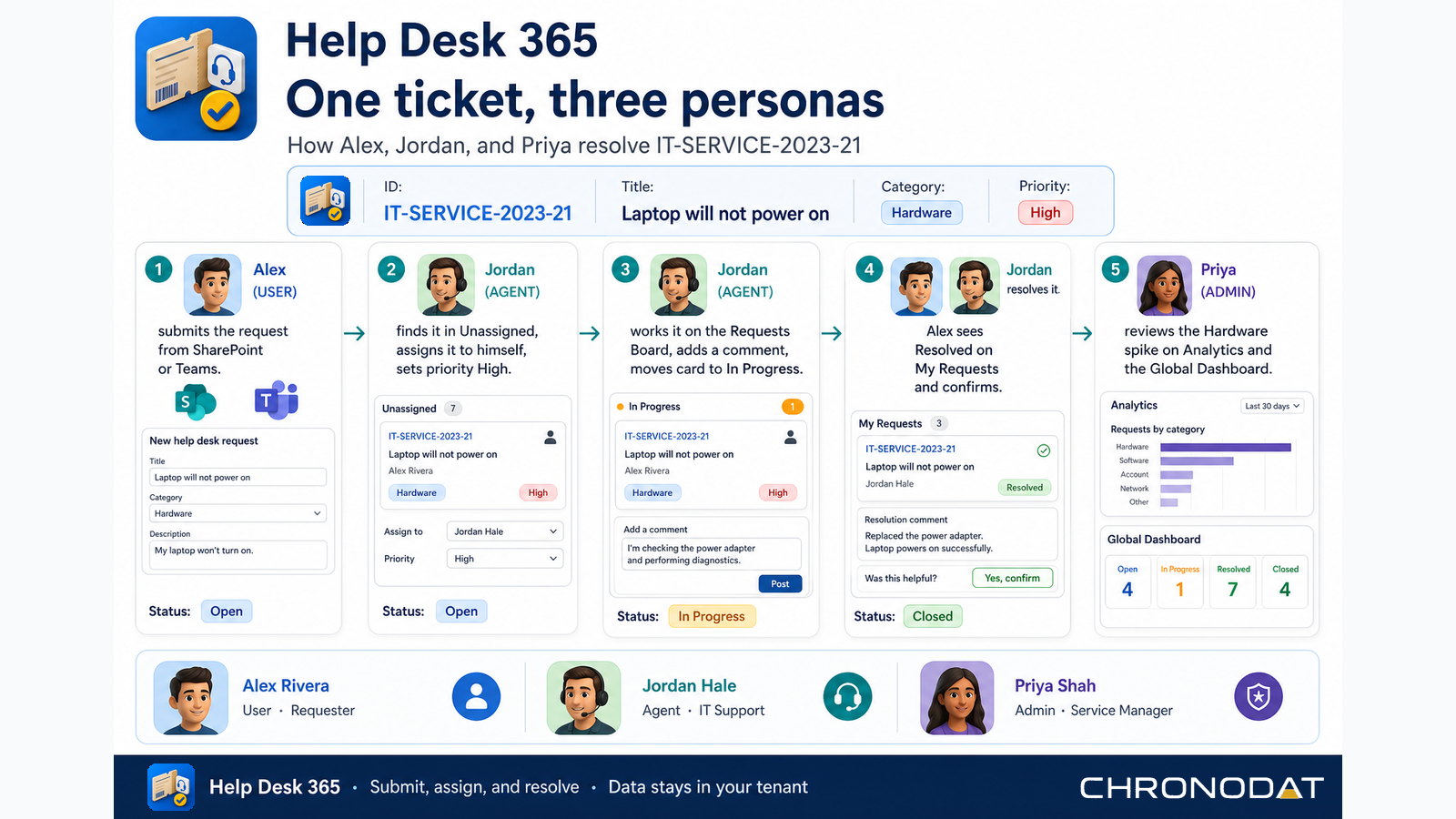
Step-by-step flows for users, agents, and administrators — built from real Help Desk 365 screens.
Watch a quick walkthrough of Help Desk 365 — dashboards, request lists, the board, analytics, and administration inside SharePoint and Microsoft Teams.

Global and My Dashboard views with open, unassigned, and overdue counts plus status and category charts.
Create, assign, and track tickets with filters, list or card views, export, and prefixed IDs such as IT-SERVICE-2026-.
Kanban by status so agents move work from New through In Progress to Resolved and Closed.
Trends and charts by category, priority, and status with expand-in-dialog views for deeper review.
Email templates for new, assigned, and resolved requests. Optional Microsoft Graph Mail.Send.
Upload support documents and schedule related events next to the ticket workspace.
Users, agents, and admins with categories, sub-categories, resolutions, and security settings.
The same app on SharePoint pages and Microsoft Teams after App Catalog Sync to Teams. English, Spanish, French, and German.
Deploy once to your tenant App Catalog and run Help Desk 365 on modern SharePoint pages or pin it as a Microsoft Teams personal app or channel tab — all backed by the same SharePoint lists for requests, lookups, and settings.
Start a 14-day free trial or get a guided walkthrough from our team.