Open Dashboard from the VISITORS section. Review summary cards and charts before drilling into visitor lists.
3.1 Review KPI Cards
- Open Dashboard from the sidebar VISITORS section.
- Review summary cards for expected, checked-in, and checked-out visitors.
- Note pending approvals and delivery counts when shown on your dashboard.
3.2 Use Charts and Drill-Down
- Use visitor type and status charts to see distribution.
- Click a card or chart segment to open the matching filtered visitor list.
- Review the reception snapshot for today's front-desk activity.
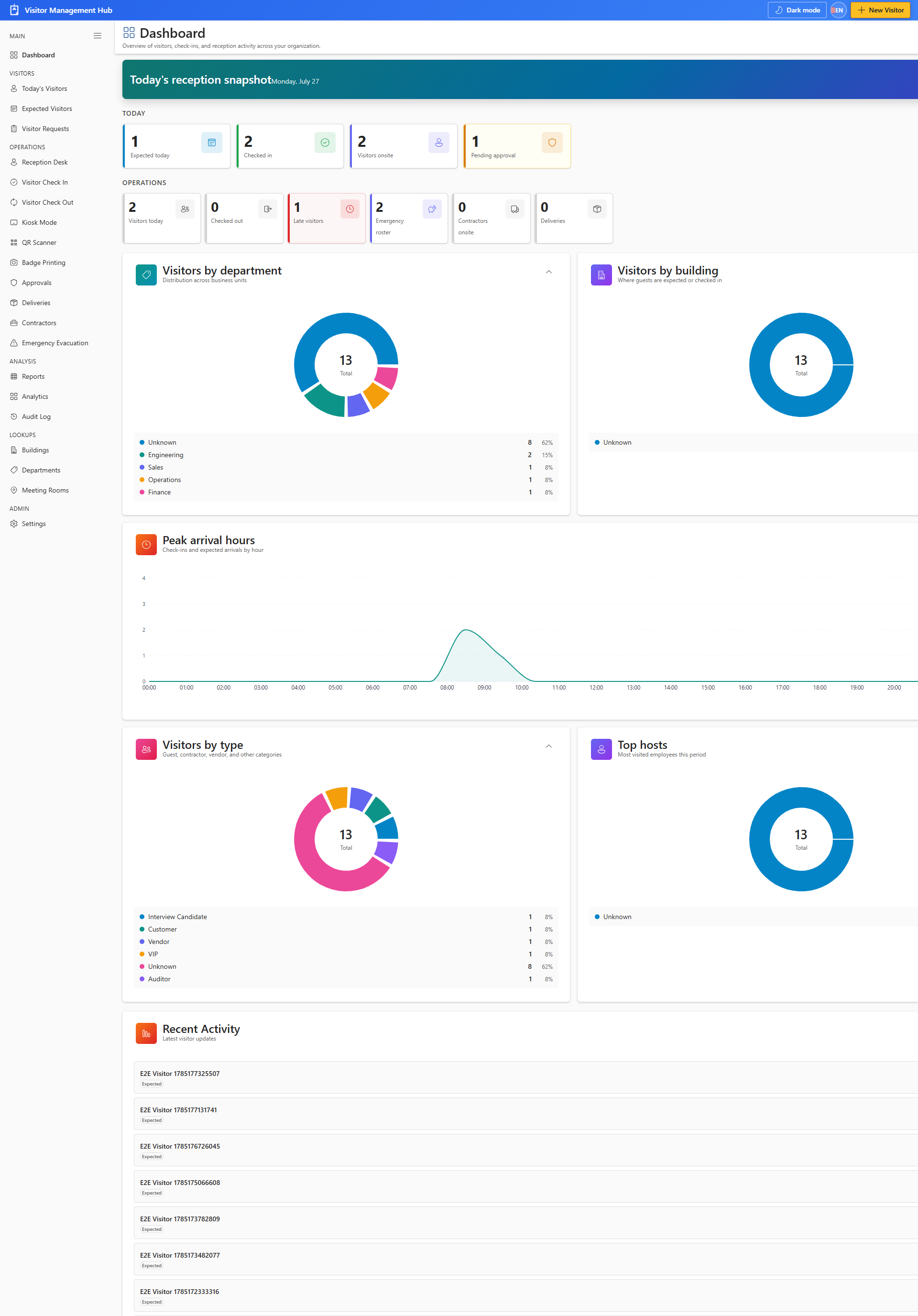
Charts summarize visitor activity without exporting data. Click-through navigation opens the underlying list with filters applied.