2.1 Layout Areas
| Area | Description |
|---|---|
| Left sidebar | Primary navigation grouped into Visitors, Operations, Analysis, Lookups, and Admin |
| Header | Page title, breadcrumbs, dark mode toggle, and New Visitor action |
| Main content | Page-specific lists, forms, charts, and actions |
| Footer | Version and copyright line |
2.2 Navigation Groups
- Visitors — Dashboard, Today's Visitors, Expected Visitors, Visitor Requests.
- Operations — Reception Desk, Check In, Check Out, Kiosk, QR Scanner, Badges, Approvals, Deliveries, Contractors, Emergency Evacuation.
- Analysis — Reports, Analytics, Audit Log.
- Lookups — Buildings, Departments, Meeting Rooms.
- Admin — Settings (site owners and app administrators).
Use Collapse navigation on smaller screens. The pages you see depend on your SharePoint permissions and app role assignments.
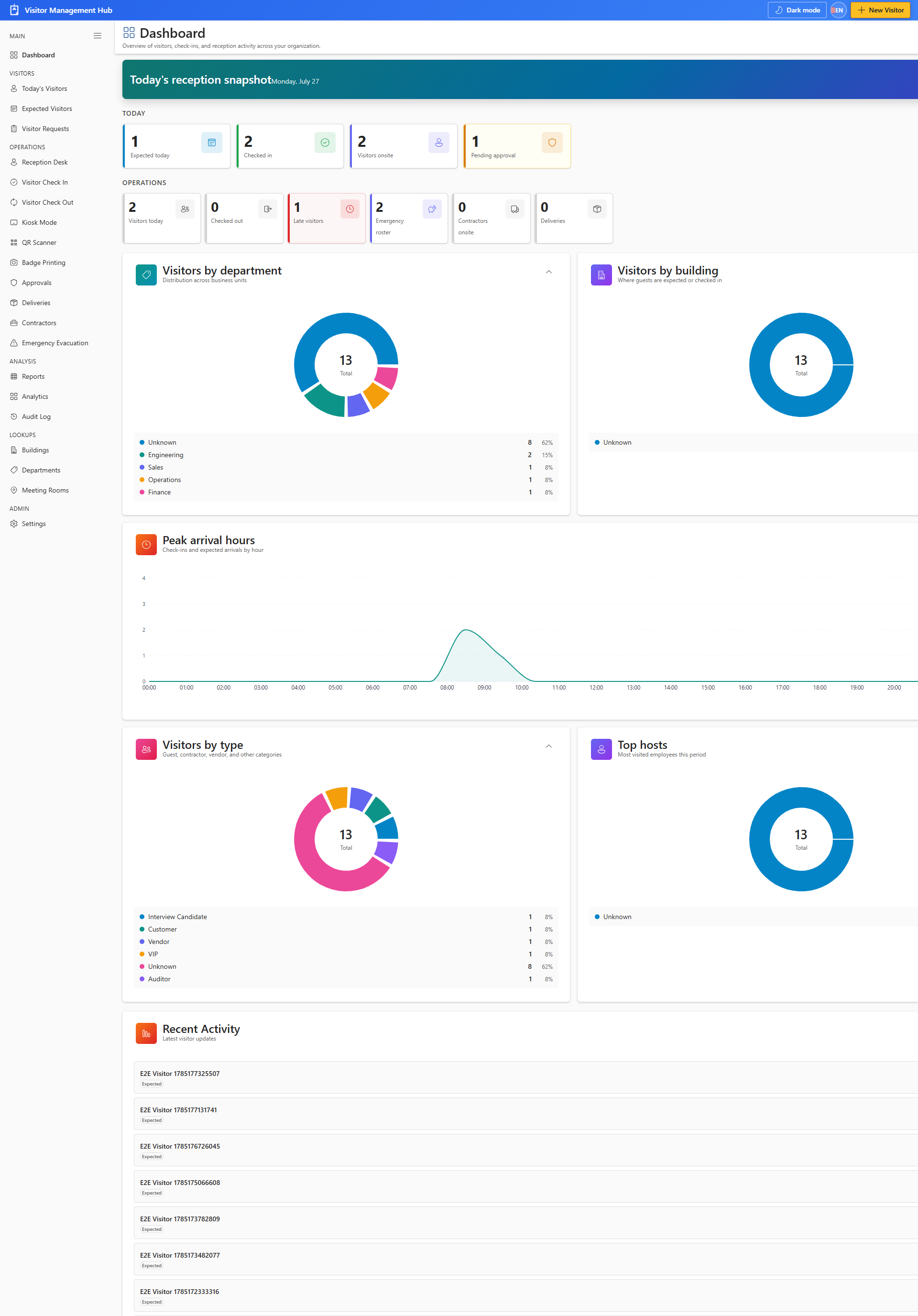
Every primary page shares the same sidebar. Status pills use color coding for visitor lifecycle states.
