Global dashboard
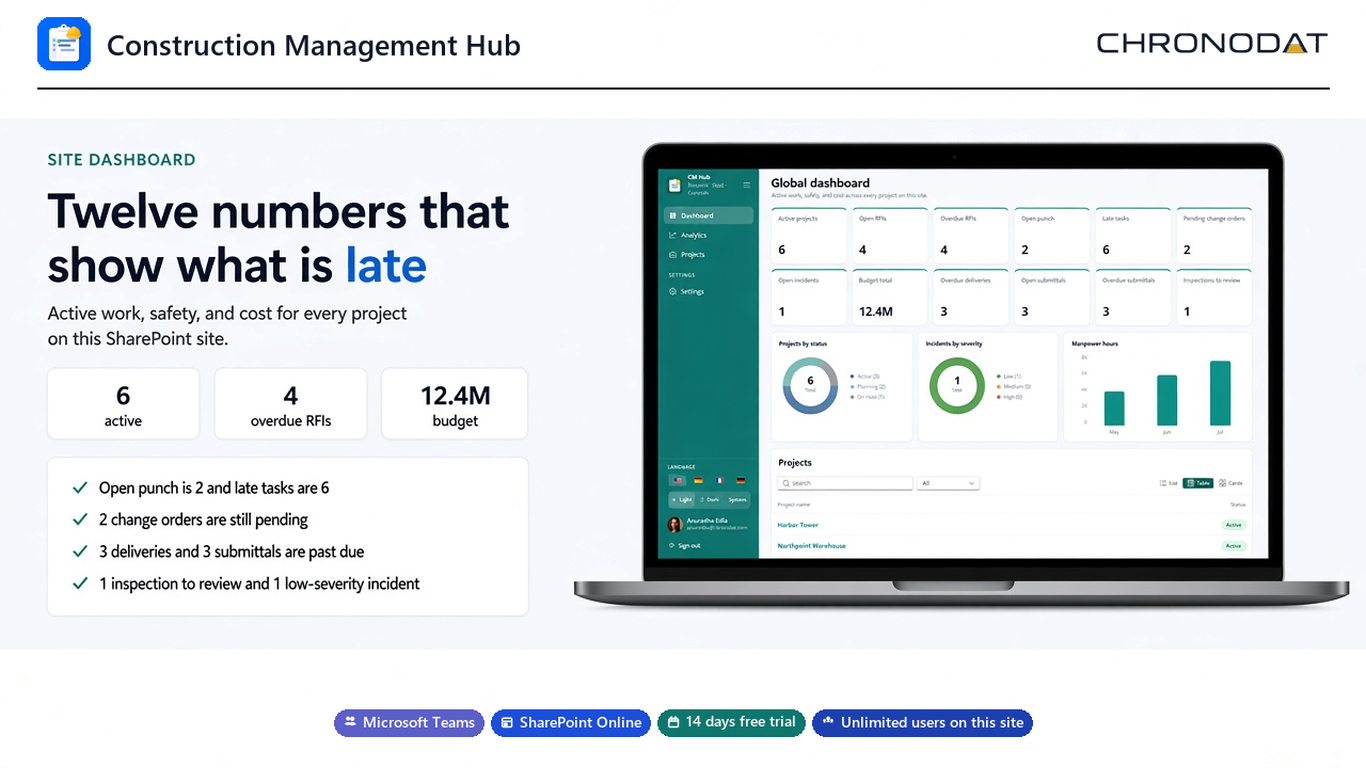
The dashboard is the first page. It summarizes active work, safety, and cost for every project on this site. On a wide screen the metric cards are two rows of six.
- Active projects, Open RFIs, Overdue RFIs, Open punch, Late tasks, and Pending change orders.
- Open incidents, Budget total, Overdue deliveries, Open submittals, Overdue submittals, and Inspections to review.
- Projects by status, Incidents by severity, and Manpower hours.
- The project table under the charts opens the job you select.
What the cards count
- Open submittals are not Approved, Rejected, or Closed. Overdue submittals are those open items past the due date.
- Inspections to review have a result of Fail or Conditional.
- RFI values Closed and Answered count as finished.
- Change orders in Draft or Submitted count as pending.
Projects
Projects lists every job on the site: name, code, client, status, and project manager. Search by name, or filter by Active, On Hold, or Planning. New project is available when your role can create jobs. Choose a project name to open it.
Workspace and analytics
Recent activity on the workspace lists the latest punch, deliveries, and other records. Select an item to open it. Analytics in the main sidebar is the cross-project view: budget by project, projects by status, manpower hours, cumulative hours, change-order cost, and hours by trade.