IT service management built for SharePoint and Teams
A SharePoint-native service desk for request intake, ticket queues, SLA tracking, knowledge, and reporting — without sending employees to a separate helpdesk portal or moving support data out of your tenant.
Key takeaways
- Employees get one Help Center for requests, status, and knowledge articles.
- Agents work incidents, requests, problems, and changes from focused queues.
- SLA policies, assignment rules, and notification workflows run in the app.
- Tickets, articles, and configuration stay in SharePoint lists in your tenant.
Support work should not disappear into inboxes
Most service desk teams start with a shared mailbox because it is the fastest thing to set up. It works until volume grows. Then the same problems repeat: two people reply to one request, priority is a matter of opinion, nobody can say how long tickets actually take, and the only way to report on service quality is to export email and clean it up by hand.
Service Desk Hub replaces that with a structured Microsoft 365 workspace. Employees submit and track requests in a Help Center. Agents work from queues with owner, priority, SLA state, and history in one place. Managers get dashboards instead of spreadsheets. Nothing leaves the tenant.
| Shared mailbox | Service Desk Hub |
|---|---|
| Requests arrive as threads with no clear owner | Requests become tickets with owner, priority, and due date |
| Status is buried in someone's reply history | Requesters follow their own tickets in My Tickets |
| The same questions are answered again every week | Knowledge base articles deflect and speed up repeat issues |
| Response time is a guess | SLA policies flag at-risk and breached tickets automatically |
| Reporting means exporting and reformatting lists | Dashboards show volume, aging, SLA compliance, and workload |
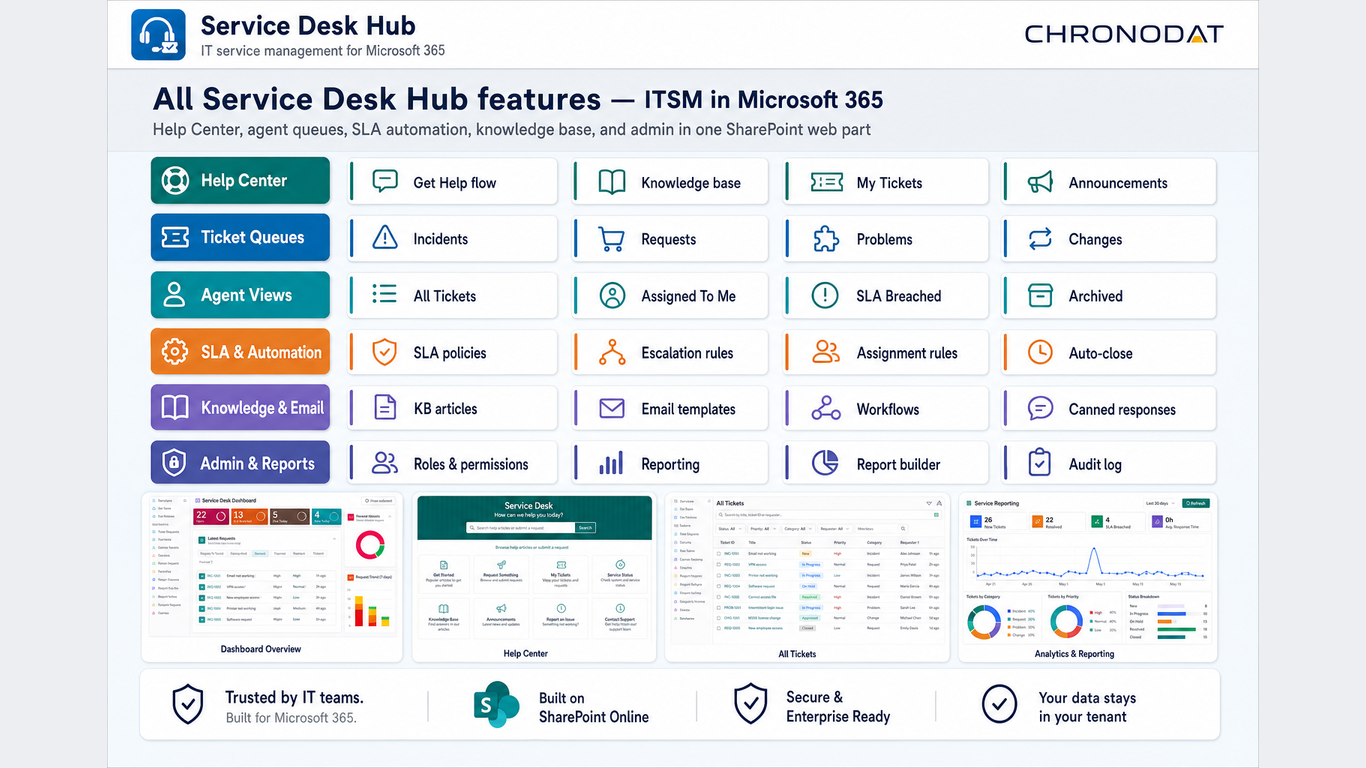
How the app supports the full ticket lifecycle
Start with self-service
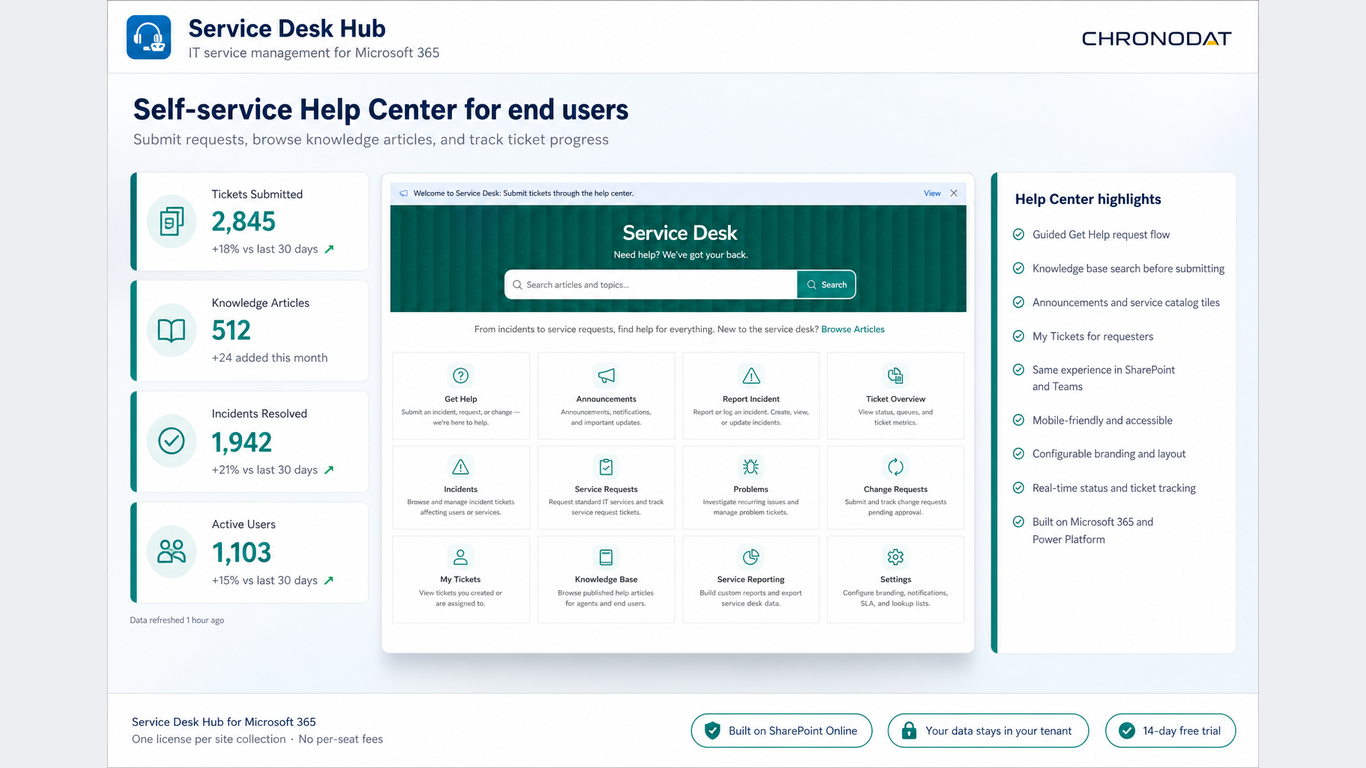
The Help Center gives employees one front door: search the knowledge base, submit a request through a guided form, and check My Tickets for status. Structured intake also means agents receive the details they need instead of a one-line email.
Work from focused queues
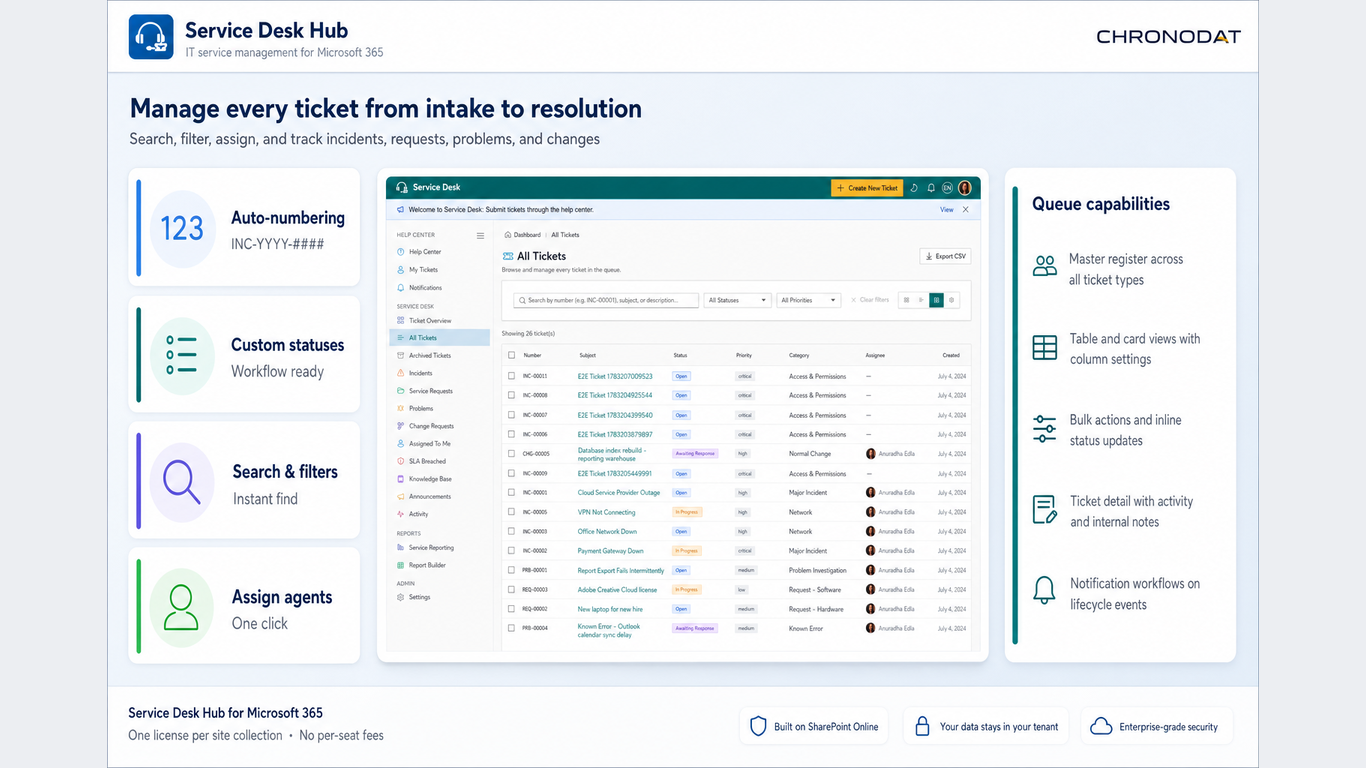
Agents move between All Tickets, Assigned To Me, incidents, problems, changes, and SLA Breached without losing context. Every queue keeps owner, status, priority, requester, and due date visible so triage takes seconds.
Automate the routine
SLA policies set response and resolution targets, assignment rules route work to the right group, and notification workflows keep requesters updated. Escalation and auto-close happen without anyone chasing a thread.
Measure what matters
Dashboards and the report builder cover ticket volume, aging, SLA compliance, workload, and recurring issues. Managers review service performance inside the app rather than rebuilding a spreadsheet every Monday.
Built for Microsoft 365 governance
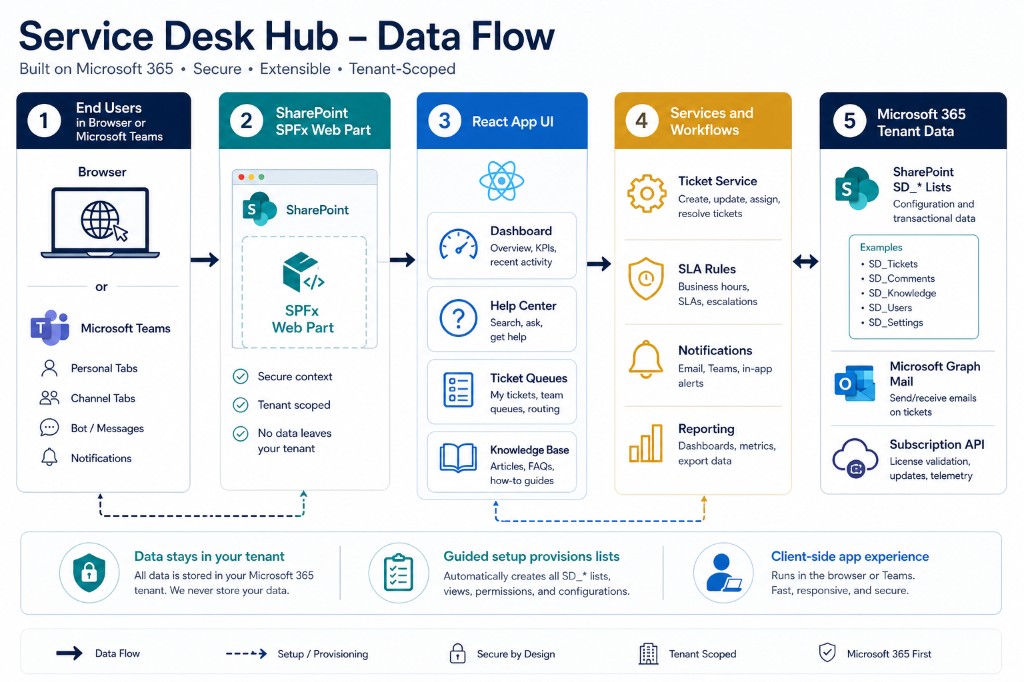
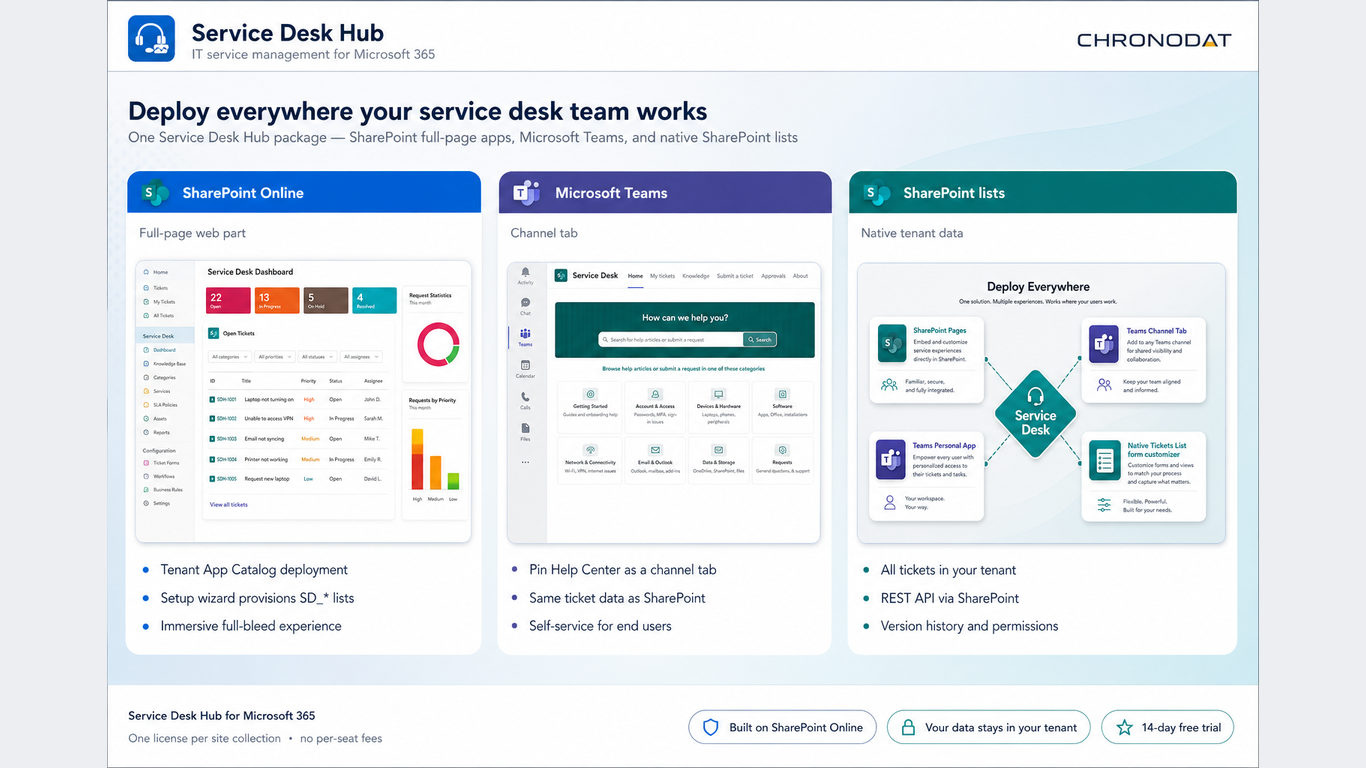
Service Desk Hub is a SharePoint Framework (SPFx) app. You deploy it once to the tenant App Catalog, then surface it on a modern SharePoint page or pin it as a Microsoft Teams channel tab. Tickets, knowledge articles, SLA policies, and audit history are stored in SharePoint lists in your own tenant.
That architecture is the reason IT teams shortlist it. Access follows Microsoft 365 identity and the permission model you already govern, service data stays next to the collaboration content it relates to, and there is no third-party platform to review, license separately, or migrate data into.
Service Desk Hub replaces scattered helpdesk intake with a governed ITSM workspace that lives where your people already work: SharePoint and Teams.
Who should look at Service Desk Hub?
It fits small and mid-sized teams that need a real ticketing process but do not want to run a separate service desk platform or move support data outside Microsoft 365.
- IT support teamsStructured queues for incidents, requests, problems, and changes, with SLA visibility.
- Operations, HR, and facilitiesA governed internal request system that uses the same intake and queue model.
- Microsoft 365 adminsTenant-scoped SharePoint storage, App Catalog deployment, roles, and audit history.
- Service managersVolume, aging, and SLA reporting without manual spreadsheet cleanup.
Common questions
Where is service desk data stored?
In SharePoint lists inside your own Microsoft 365 tenant. Tickets, knowledge base articles, SLA policies, and audit history never move to an external platform.
Can agents work inside Microsoft Teams?
Yes. The same app can be pinned as a Teams channel tab or embedded on a SharePoint page, and both surfaces read and write the same lists.
How does SLA tracking work?
Administrators configure SLA policies with response and resolution targets. Queues surface at-risk and breached tickets, and reports show SLA compliance over time.
How much training do employees need?
For most employees the Help Center is the only surface they use: search for an answer, submit a request, track status. Agents and admins work in the queue and configuration views.
Next step
See how it fits your service desk
Review the features, read the setup and configuration guides, or install the app from Microsoft AppSource.
Discussion
Comments