Time tracking and client billing built for SharePoint and Teams
A SharePoint Framework (SPFx) full-page web part for timesheets, approvals, expenses, PTO, invoicing, and reporting — without scattered spreadsheets or moving billing data out of your tenant.
Key takeaways
- Employees log hours in a weekly grid and submit timesheets for approval.
- Managers, team leads, and project approvers work from a central Approvals center.
- Billing rolls up approved time into client invoices with tax profiles and PDF export.
- Runs as an SPFx full-page web part on SharePoint and as a Microsoft Teams tab.
- Timesheets, billing, and organization data stay in SharePoint lists in your tenant.
Billable hours should not live in five spreadsheets
Most professional services teams start with Excel because it is the fastest thing to set up. It works until the firm grows. Then the same problems repeat: hours sit in different files by team, approvers chase people over email, billable time gets lost between submit and invoice, and the only way to report on utilization is to export and clean up data by hand every Friday.
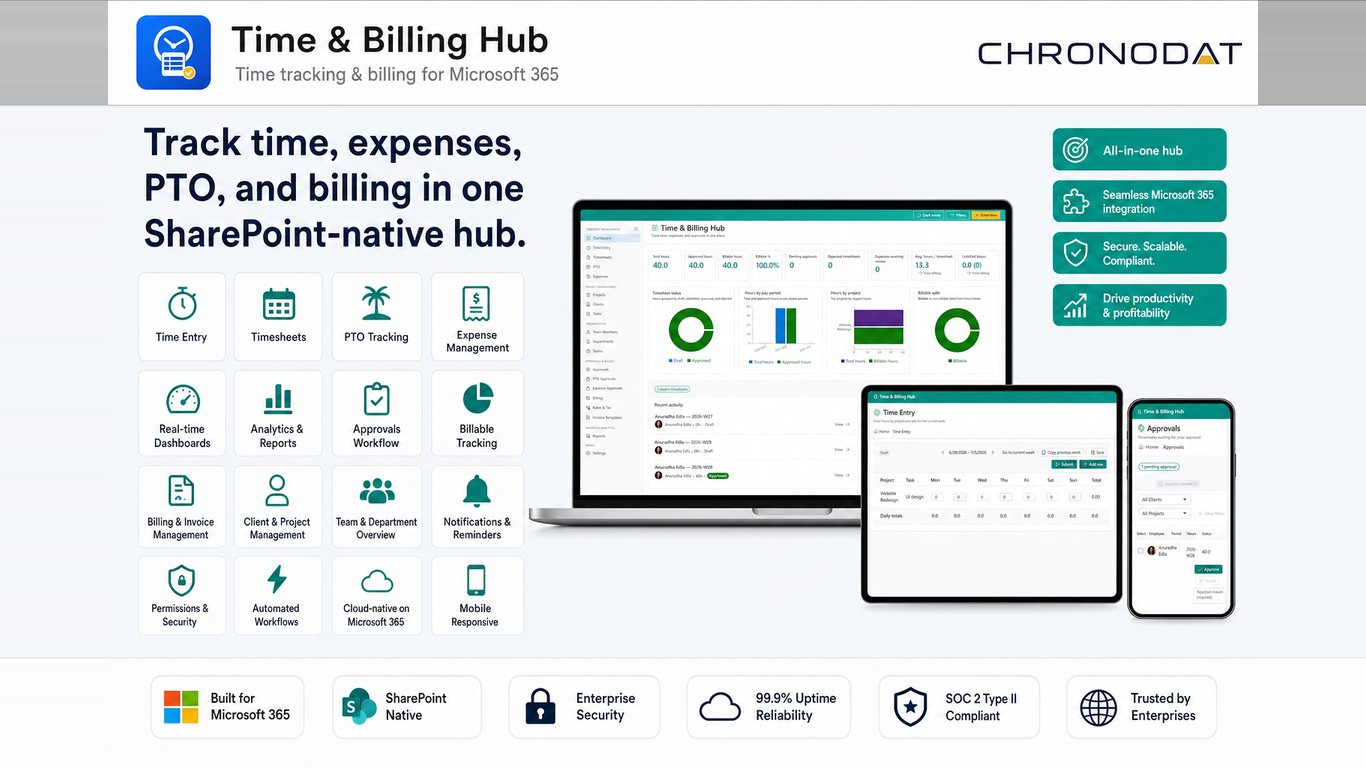
Time & Billing Hub replaces that with a structured Microsoft 365 workspace. Employees enter time against clients, projects, and tasks. Approvers review from one queue. Billing generates invoices from approved entries. Managers get dashboards instead of manual rollups. Nothing leaves the tenant.
| Spreadsheets and email | Time & Billing Hub |
|---|---|
| Hours tracked in files that do not match | One weekly time entry grid tied to clients, projects, and tasks |
| Approval status is buried in reply threads | Timesheets move from draft to submitted to approved with clear status |
| Billing means copying approved hours into another sheet | Invoices roll up unbilled approved time by client and project |
| Expenses and PTO live in separate tools | Expenses, PTO requests, and approvals run in the same hub |
| Reporting means exporting and reformatting lists | Dashboards show utilization, billing readiness, and pending approvals |
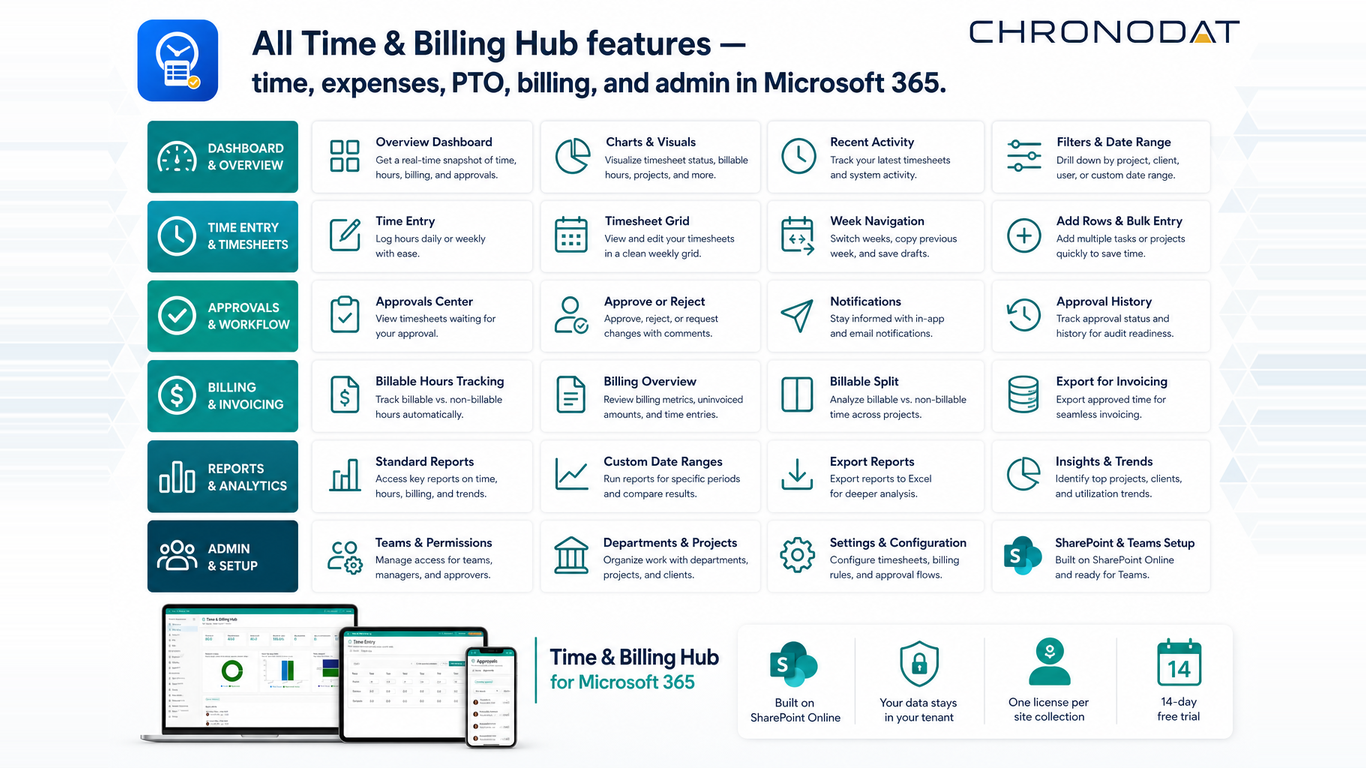
How the app supports the full time-to-invoice lifecycle
Track time where work happens
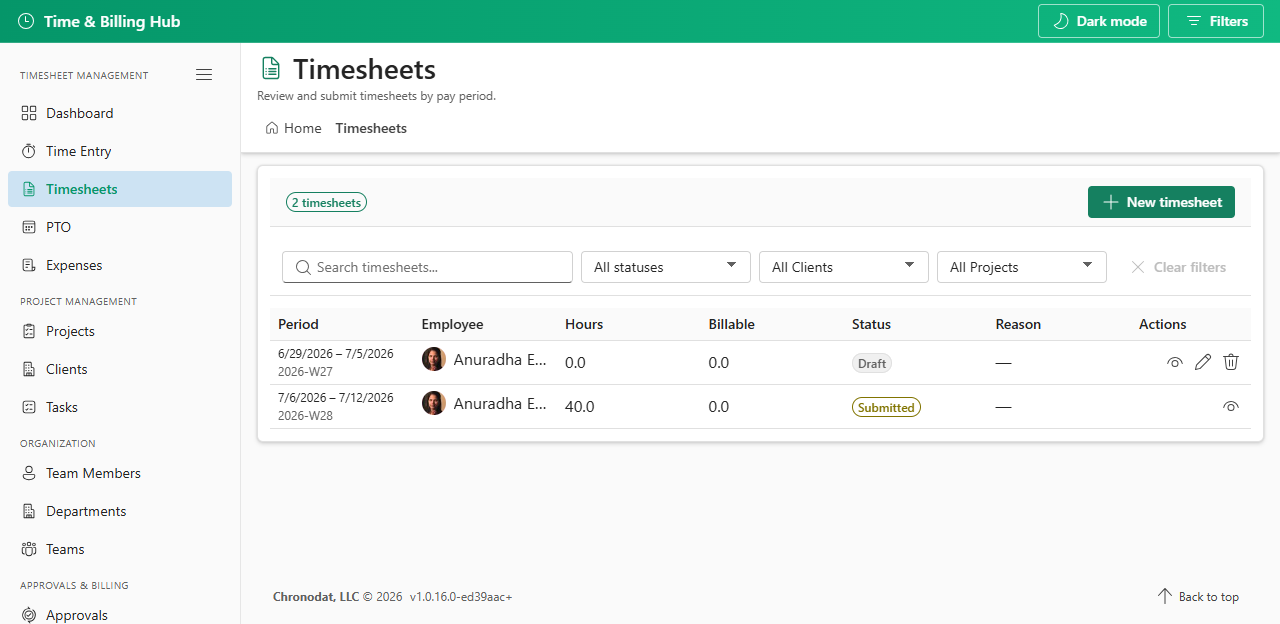
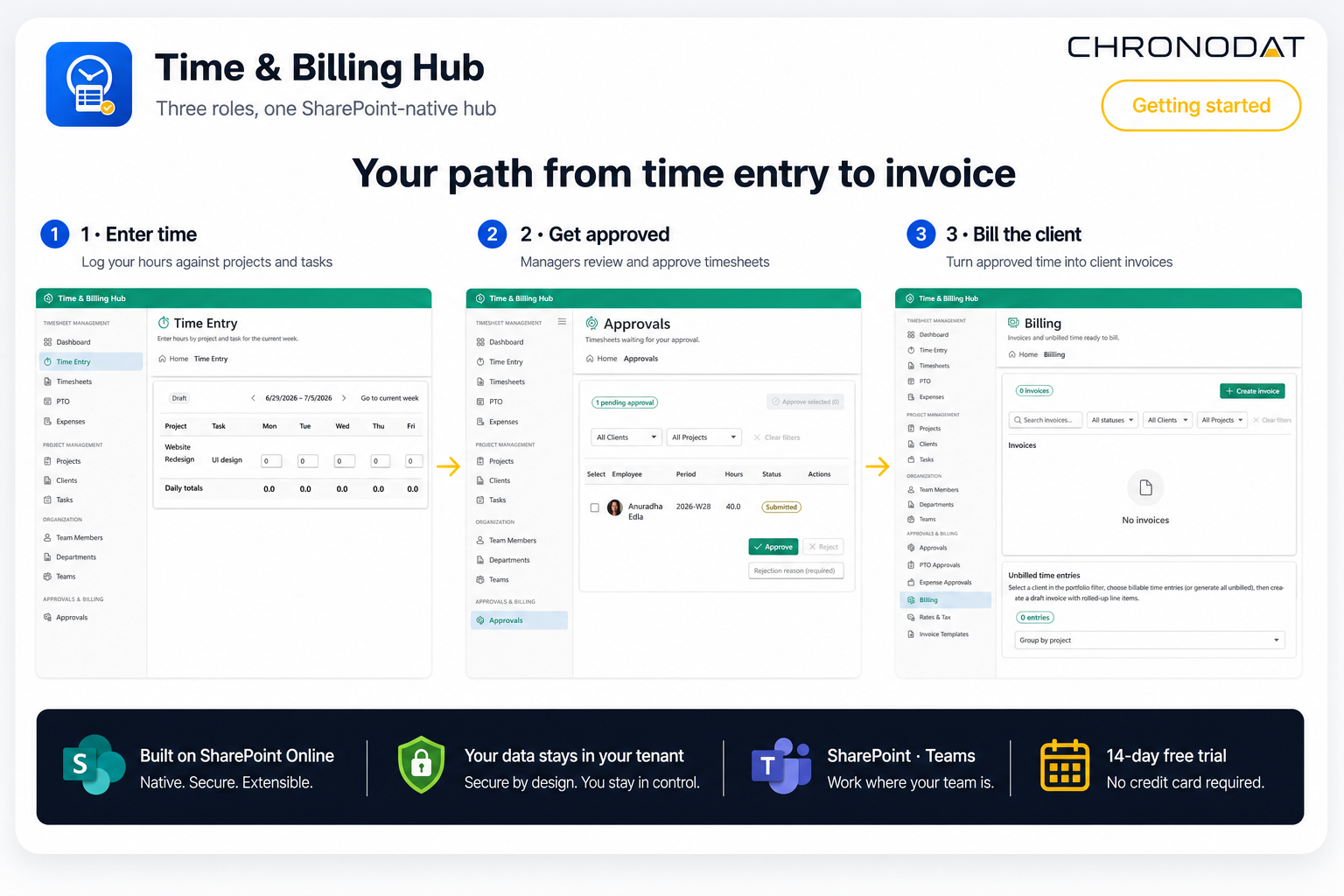
The weekly time entry grid lets employees log hours against projects and tasks, navigate pay periods, save drafts, and submit timesheets in one click. Status is visible on the Timesheets page and role-scoped dashboard so nobody has to ask whether their week was received.
Approve from one queue
Managers, team leads, and project approvers review pending timesheets, expenses, and PTO from the Approvals center. Approve or reject with a reason, and employees get notified to fix and resubmit when needed.
Bill from approved time
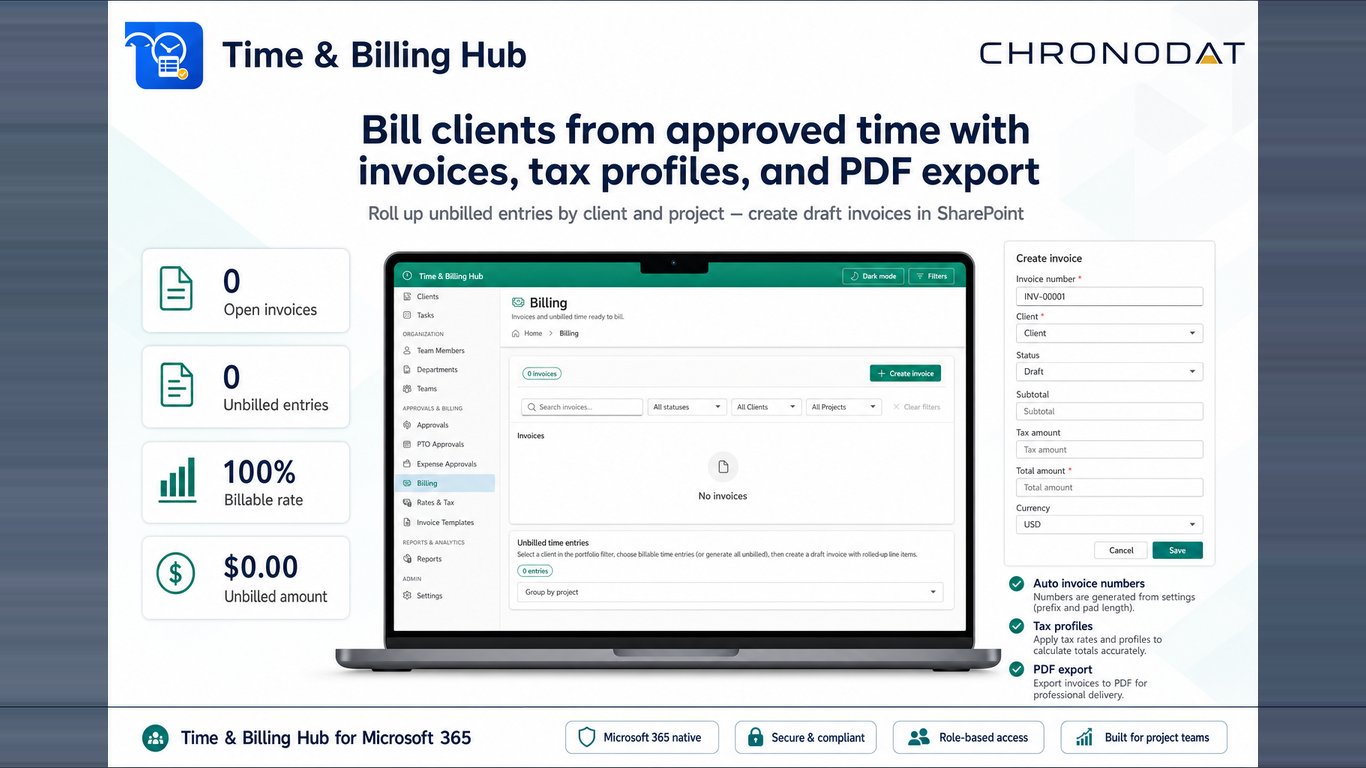
Billing rolls up unbilled approved entries by client and project. Generate draft invoices with auto-numbering, apply tax profiles, and export professional PDFs — without copying hours into a separate billing tool.
Report with confidence
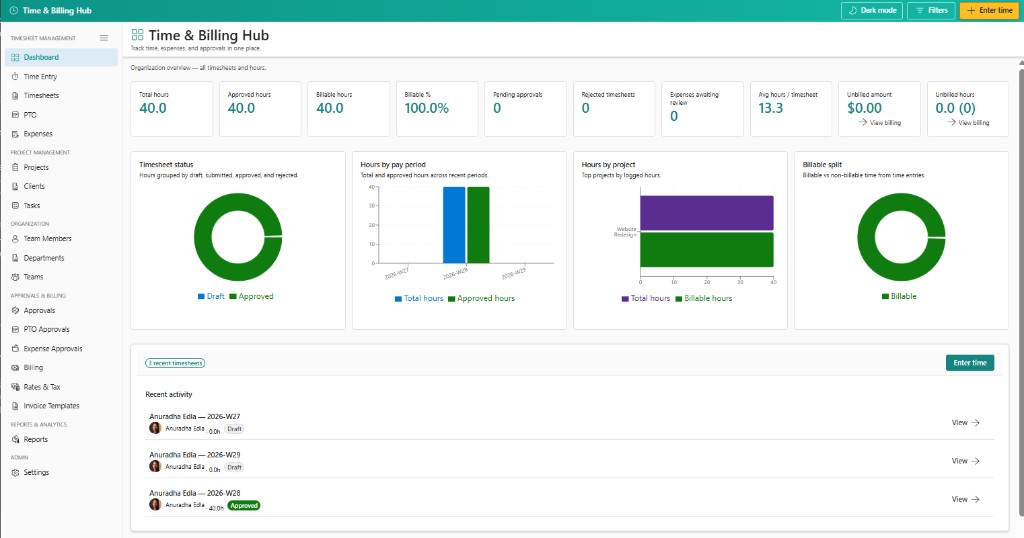
Role-scoped dashboards plus utilization, billing summary, payroll, expense detail, and PTO balance reports give operations and finance teams the numbers they need without rebuilding a spreadsheet every month.
Built for Microsoft 365 governance
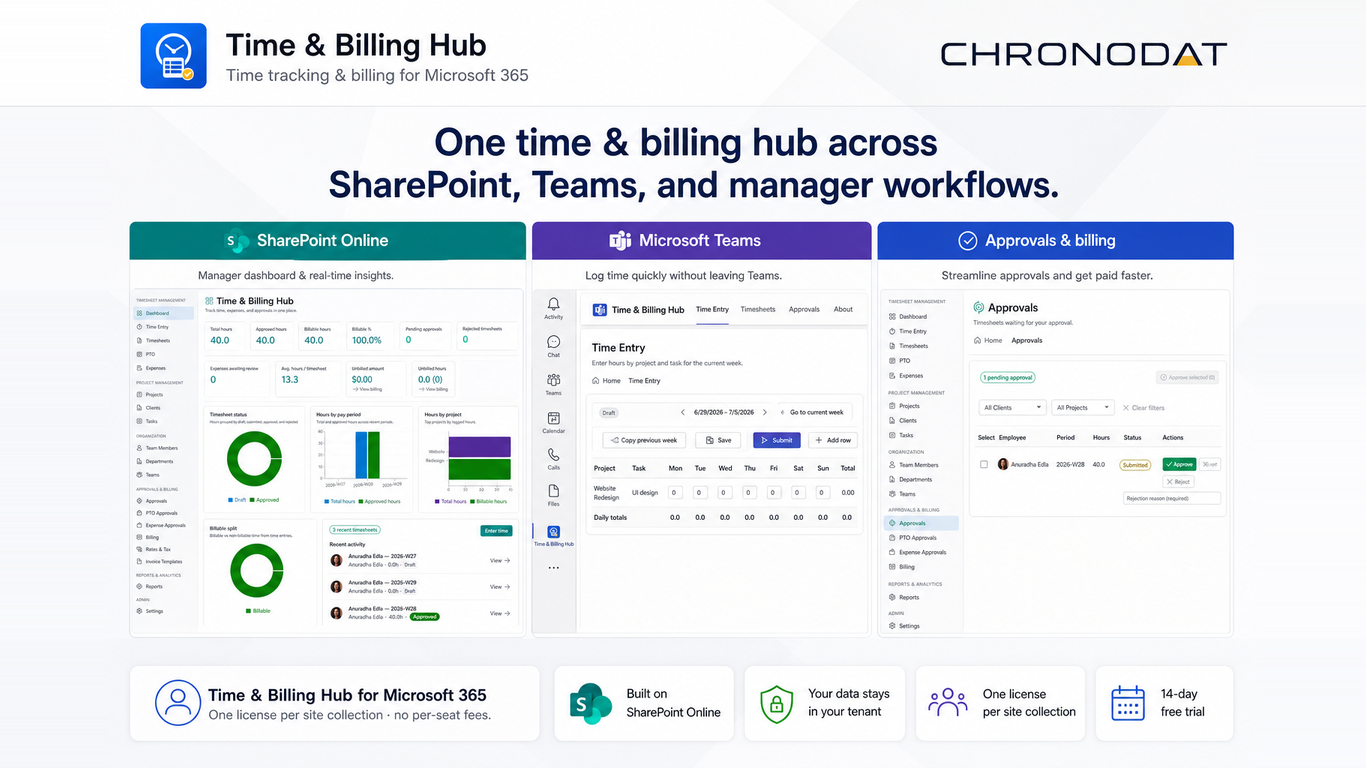
Time & Billing Hub is a SharePoint Framework (SPFx) application delivered as a full-page web part. You deploy the .sppkg once to the tenant App Catalog, add the web part to a full-width section on a modern SharePoint page, and publish. The entire app — sidebar navigation, dashboards, time entry, approvals, and billing — runs inside that single web part with no iframes or external redirects.
The same package also deploys as a Microsoft Teams channel tab, so employees and approvers can work from Teams while reading and writing the same SharePoint lists. Timesheets, time entries, invoices, expenses, PTO, and organization master data never leave your tenant.
That architecture is the reason project-based teams shortlist it. Access follows Microsoft 365 identity and the permission model you already govern, billing data stays next to the collaboration content it relates to, and there is no third-party platform to review, license separately, or migrate data into.
Time & Billing Hub replaces scattered time tracking with a governed SPFx full-page workspace that lives where your people already work: SharePoint and Teams.
Who should look at Time & Billing Hub?
It fits professional services and project-based teams that need structured time tracking and billing but do not want to run a separate PSA platform or move financial data outside Microsoft 365.
- Consulting and advisory firmsTrack billable hours by client and project, approve timesheets, and invoice from approved time.
- Legal, accounting, and engineering teamsA governed timesheet process with expenses, PTO, and role-based access.
- Microsoft 365 adminsSPFx full-page web part deployment, tenant-scoped SharePoint storage, roles, and a guided setup wizard.
- Operations and finance leadersUtilization, billing summary, and payroll exports without manual spreadsheet cleanup.
Common questions
Where is time and billing data stored?
In SharePoint lists inside your own Microsoft 365 tenant. Timesheets, time entries, invoices, expenses, PTO requests, and organization master data never move to an external platform.
How is the app deployed on SharePoint?
Upload the .sppkg to the tenant App Catalog, then add the Time & Billing Hub web part to a full-width section on a modern SharePoint page and publish. The web part renders the full application — not a widget or embedded frame — and a setup wizard provisions the required SharePoint lists on first run.
Can teams use it inside Microsoft Teams?
Yes. The same SPFx package can be pinned as a Teams channel tab or added as a full-page web part on SharePoint, and both surfaces read and write the same lists.
How does the approval workflow work?
Employees submit weekly timesheets from Time Entry. Managers, team leads, and project approvers review pending items in Approvals, approve or reject with a reason, and approved time becomes available for billing and reports.
Can I generate client invoices from approved time?
Yes. Billing rolls up unbilled approved entries by client and project, generates draft invoices with tax profiles, and exports professional PDFs for delivery.
Next step
See how it fits your team
Review the features, read the setup and configuration guides, or install the app from Microsoft AppSource.
Discussion
Comments